
A codified, legible process
The three pathways, rights-holder, non-rights-holder, exemption, are defined in code, not in a binder. Each student advances step by step, and their application page shows real progress as a vertical timeline.

One online form for every admission request. The platform routes each file by the declared status: rights-holder families exercise a right, on a direct pathway, everyone else follows a structured admission permission, from interview to admission committee to a reasoned decision. Built for French-language school boards.
One online form for every admission request. The platform routes each file by the declared status: rights-holder families exercise a right, on a direct pathway, everyone else follows a structured admission permission, from interview to admission committee to a reasoned decision. Built for French-language school boards.
The three pathways, rights-holder, non-rights-holder, exemption, are defined in code, not in a binder. Each student advances step by step, and their application page shows real progress as a vertical timeline.
Fifty email templates cover the full cycle, from acknowledgement to decision. Official letters are generated per child, as PDFs on the board's letterhead, with variables, signature and a "c.c." block, a test PDF in one click.
Birth certificate, immigration status, proof of residence: each requirement is defined by admission category, with accepted formats, maximum size and expiry-date tracking. The form asks each family only for what applies to them.
The documents of each request are filed in a document library, like a Drive. Space usage, documents with expiry and those expiring soon are tracked at a glance.
Eighteen notification types, four categories, three channels, web, email, SMS, toggled type by type. Email goes out via your SMTP server or, with no setup, via the platform, with parent replies delivered to the school's address.
Every sensitive action, a recorded decision, a document access link, a login, is written to a read-only register, filterable by actor, action and period. Sessions are monitored in real time, with two-factor authentication.
Every step lives in one place and feeds the next, automatically. Data entered once flows all the way to the school's information system.
Where a classic form stops at collection, the Admission module handles the entire lifecycle of the file: documents, validation, decisions and communication.
| Feature | Classic form | GES-SCO |
|---|---|---|
| Dynamic forms | Included | Included |
| Document management | Not included | Included |
| Documents with expiry | Not included | Included |
| Parent portal | Not included | Included |
| Multi-step workflows | Not included | Included |
| Audit log | Not included | Included |
| Full timeline | Not included | Included |
| Integrated communications | Not included | Included |
| Document validation | Not included | Included |
| SIS exports | Rare | Included |
| Multiple admission pathways | Rare | Included |
A shared trunk, submission, review, automatic status coding, then two pathways: the rights-holder family exercising a right, and the assessed admission permission. Throughout, automations keep everyone informed.
Rights-holder families, holders of the constitutional right under section 23 of the Canadian Charter of Rights and Freedoms, follow a direct pathway, with no interview or committee. Other families submit an admission-permission request, assessed through a structured process. Both start from the same online form; the platform reads the declared status, codes the file automatically and routes it to the right flow.
| Rights-holder (section 23) | Admission permission | |
|---|---|---|
| Starting point | The same online form | The same online form |
| Basis | A constitutional right exercised | A structured discretionary process |
| Steps | 5 steps, file check, student needs, enrolment | 8 steps, assessment, interview, committee, approval, decision |
| Interview | None | Interview grid at the school, as needed |
| Admission committee | None | File review and recommendation |
| Decision | Enrolment confirmed, parents notified | Director general's decision, permission or reasoned refusal, with right of appeal |
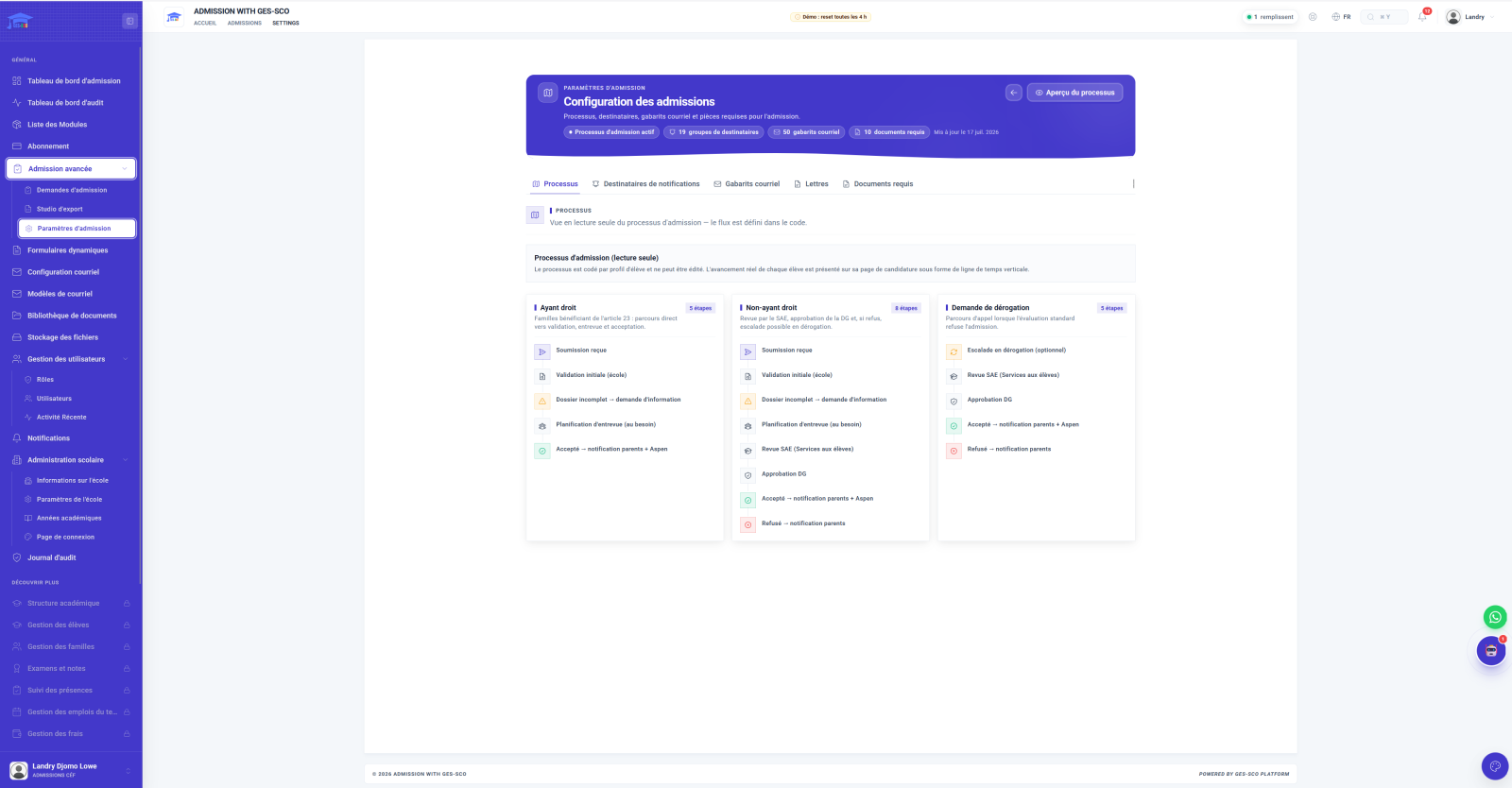
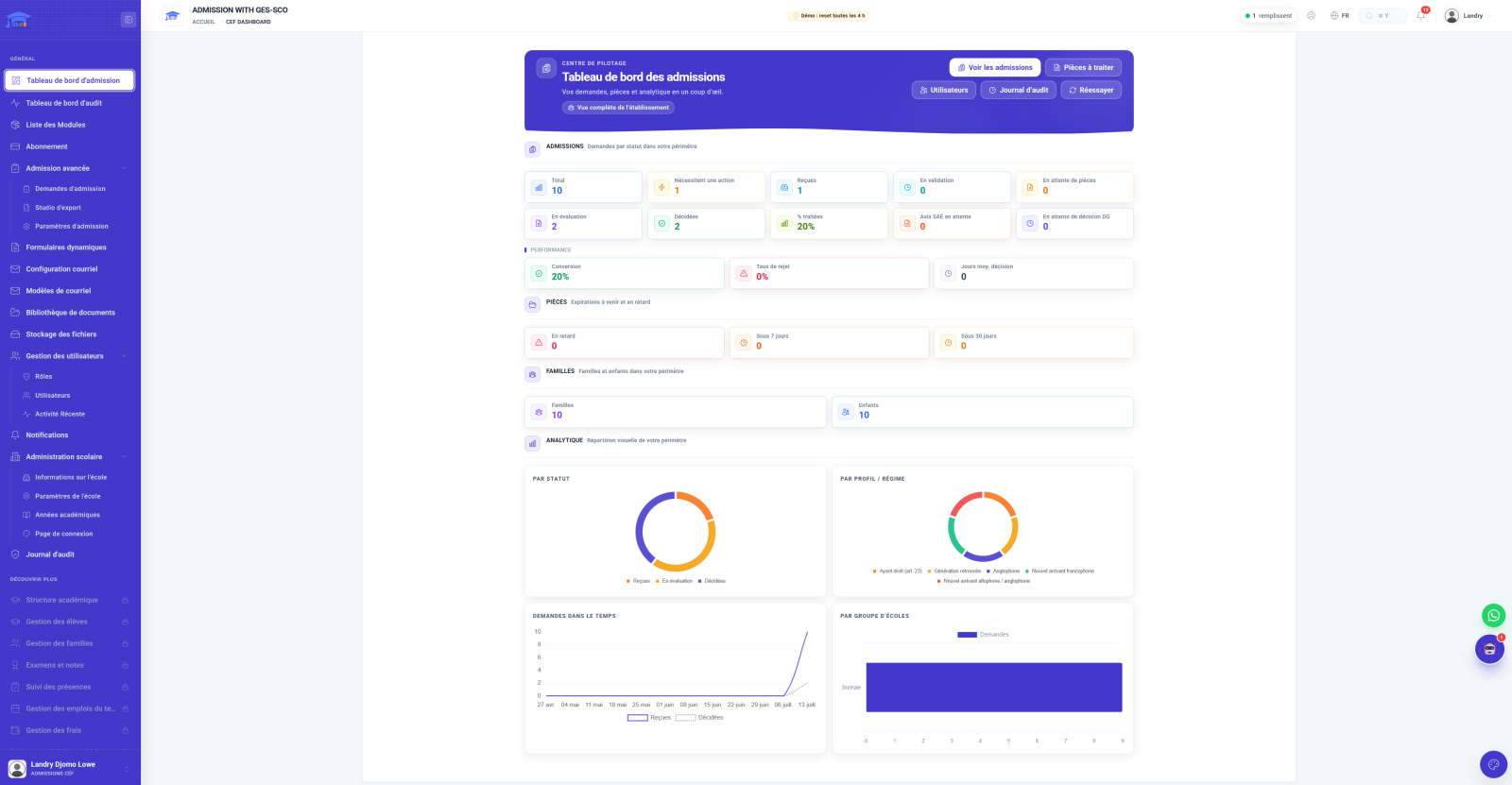
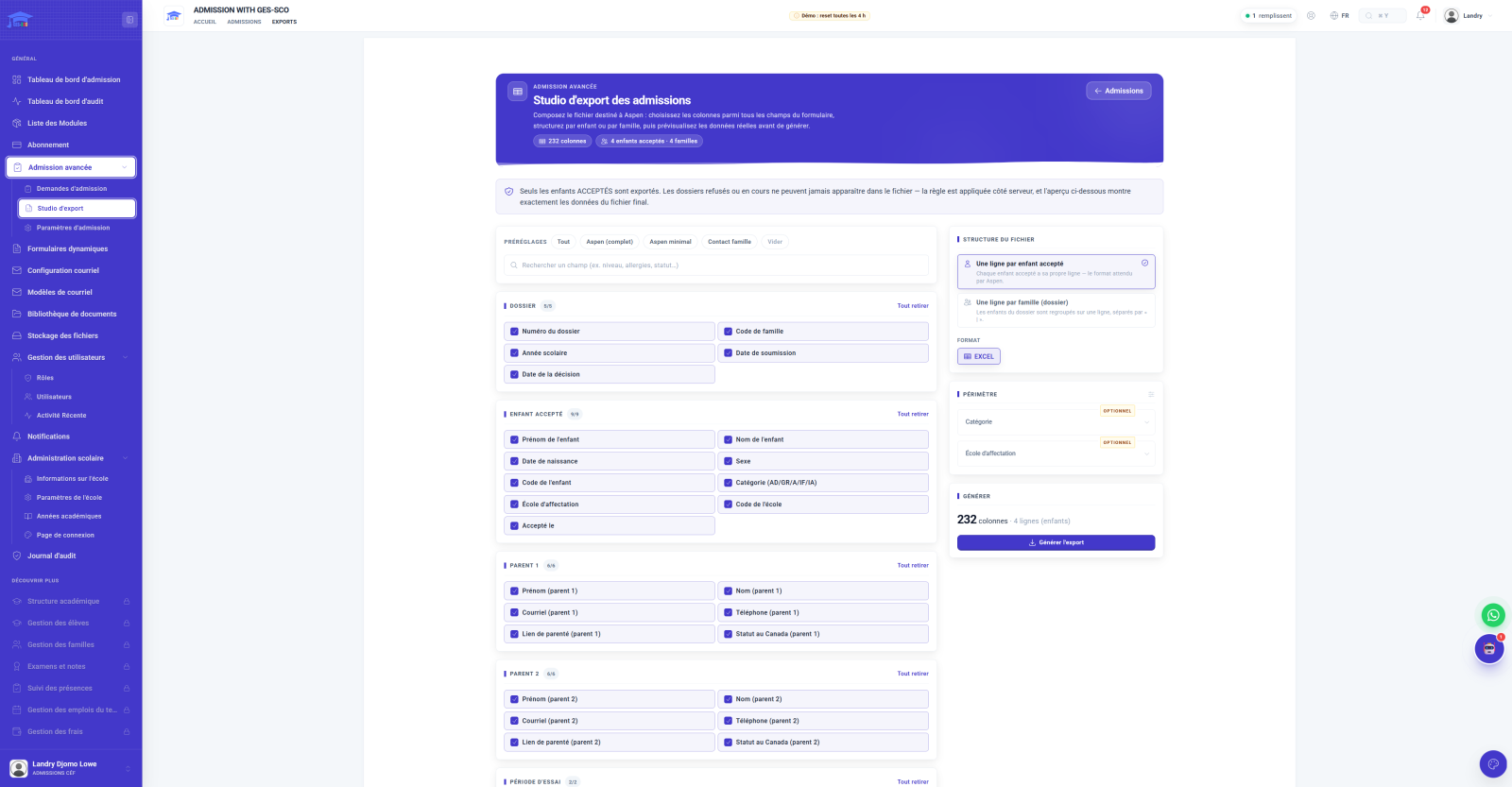
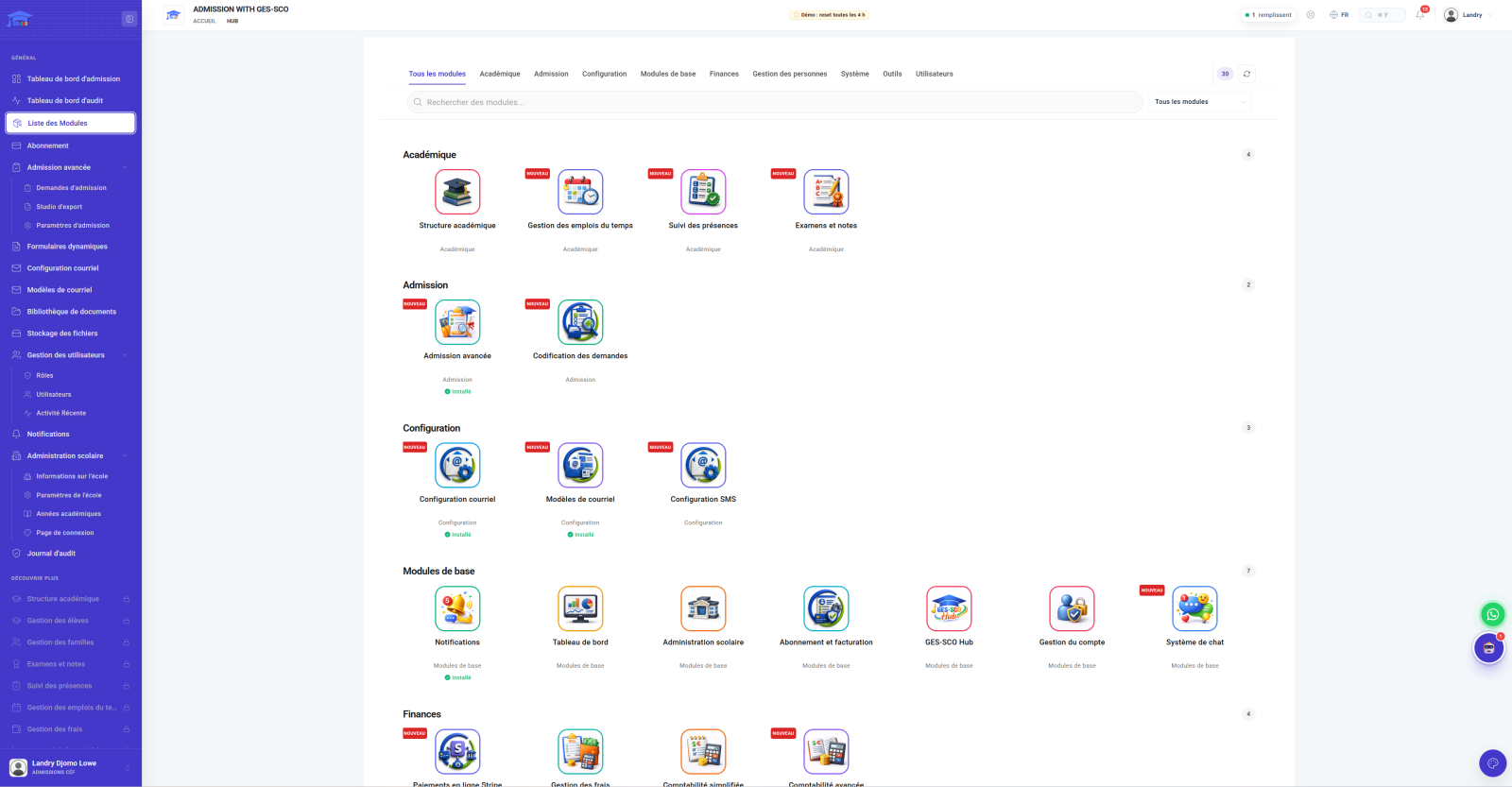
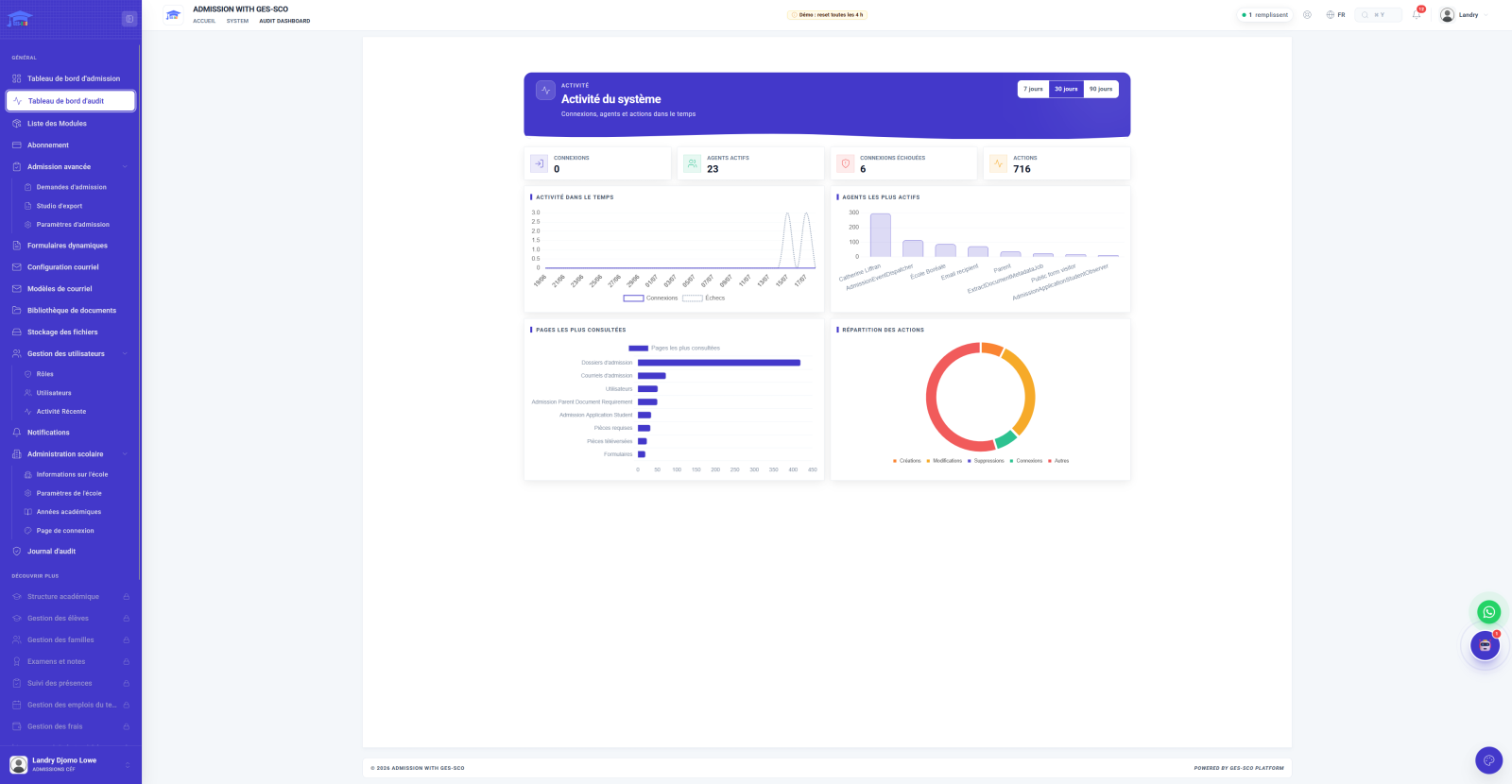
Before opening a file, the team sees the whole: requests by status, documents expiring, families and children in scope, and real-time analytics. Four screens give the overview and the bulk actions.
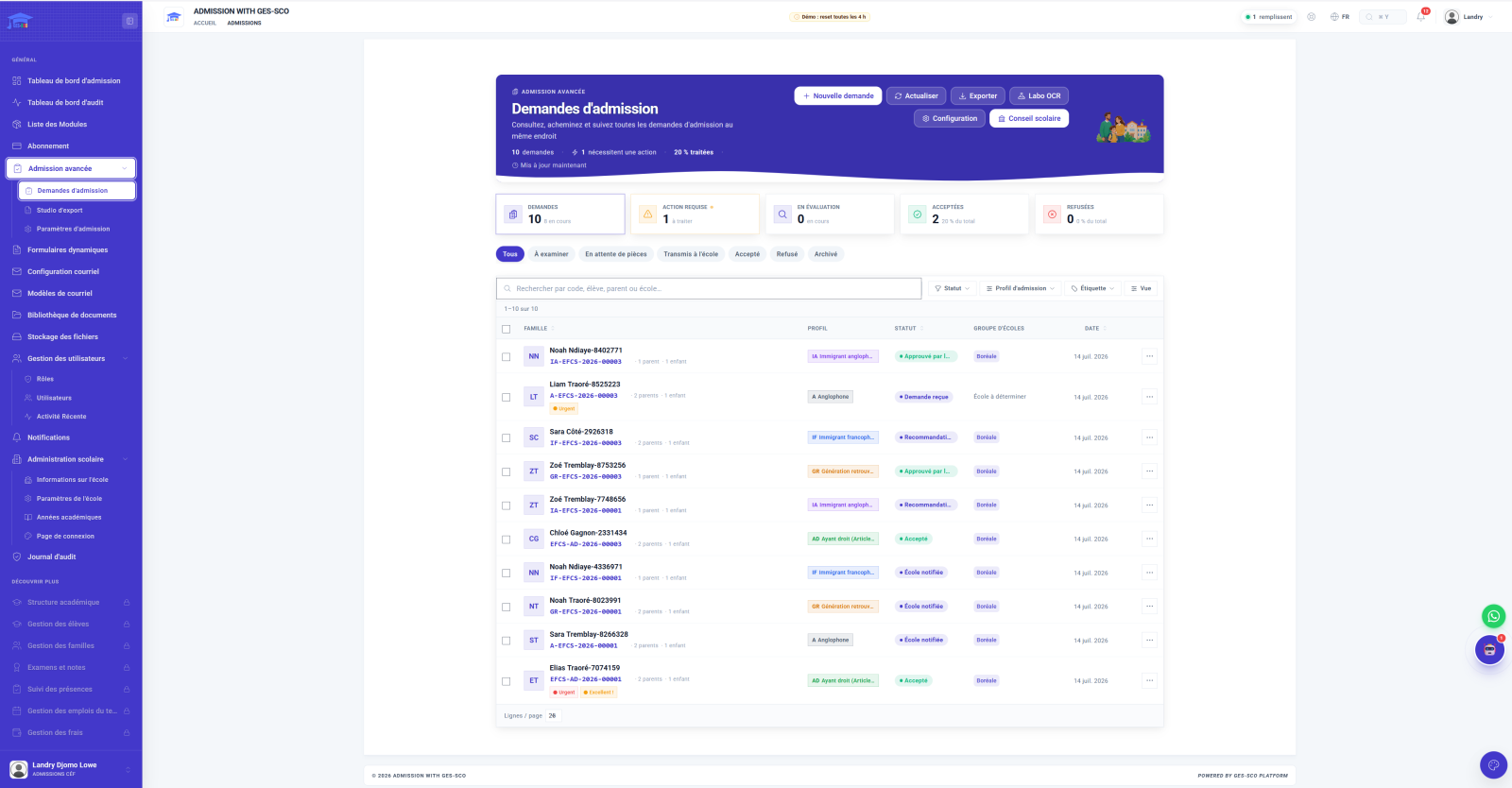
Here is the file of a family requesting admission permission, as staff work it, from receiving the request to the director general's decision. Eleven workspaces, one per step, and every action leaves a trace. Meanwhile, the family follows the same file from its parent portal. The data shown is fictitious, generated for the demo.
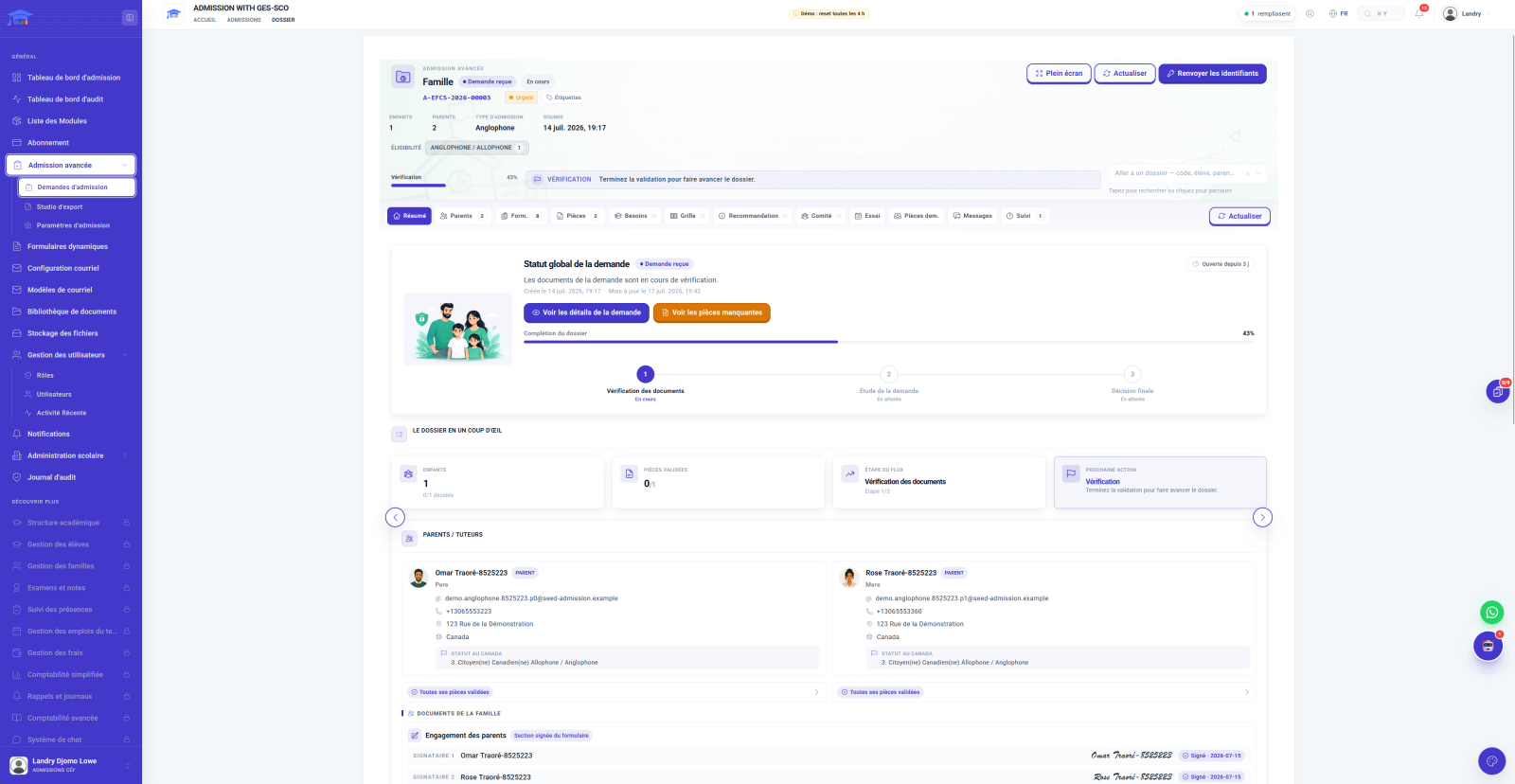
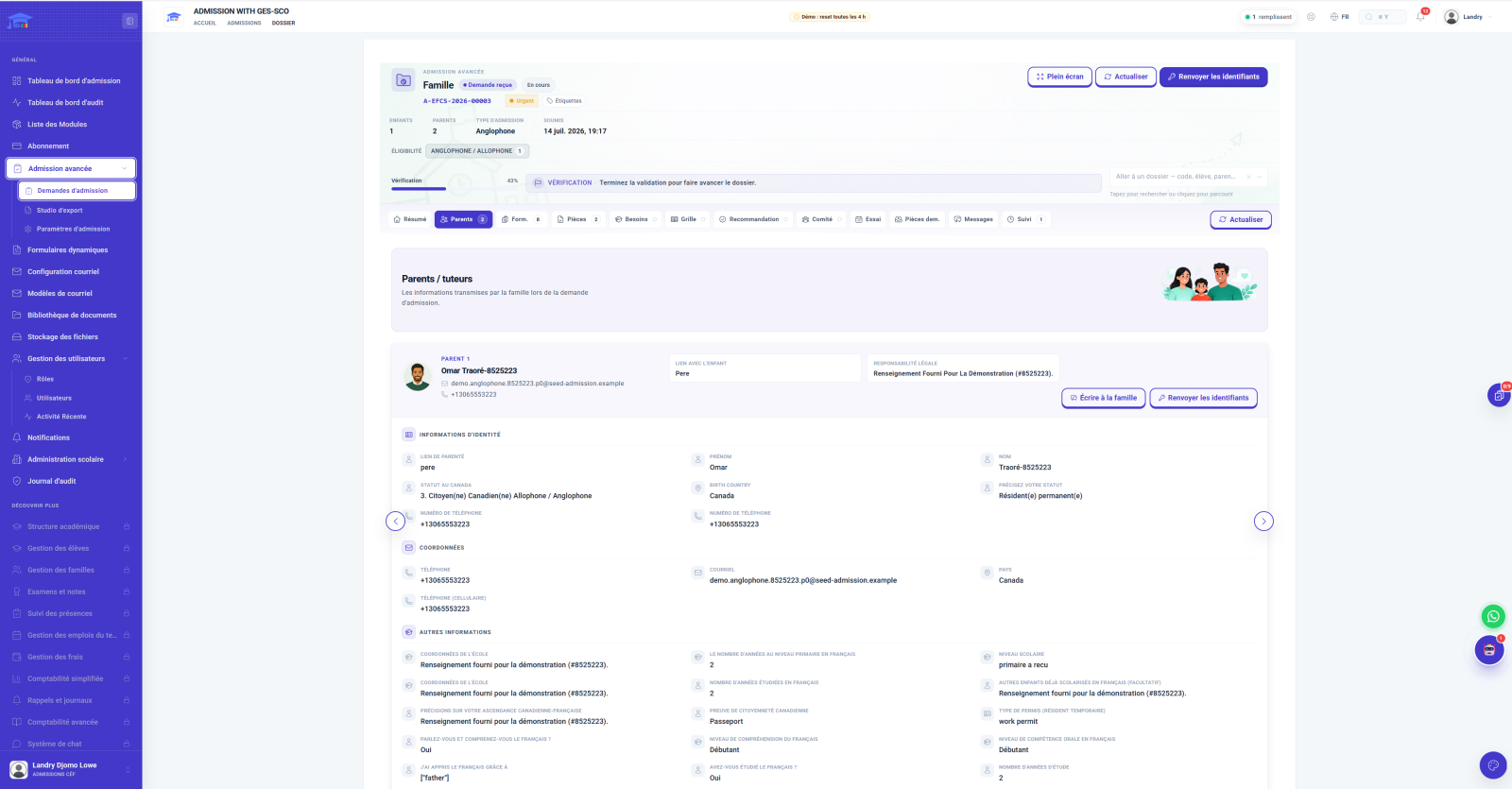
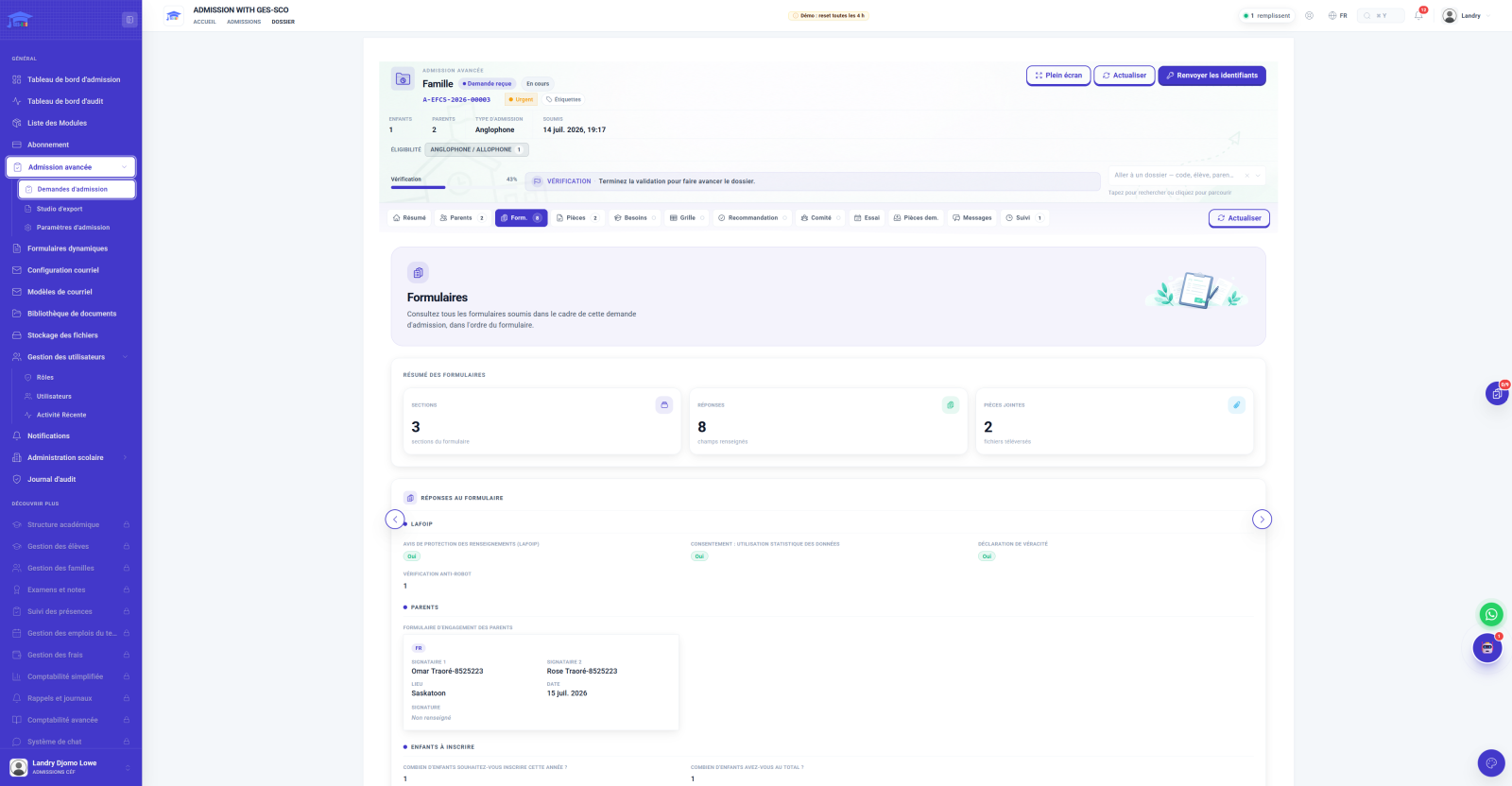
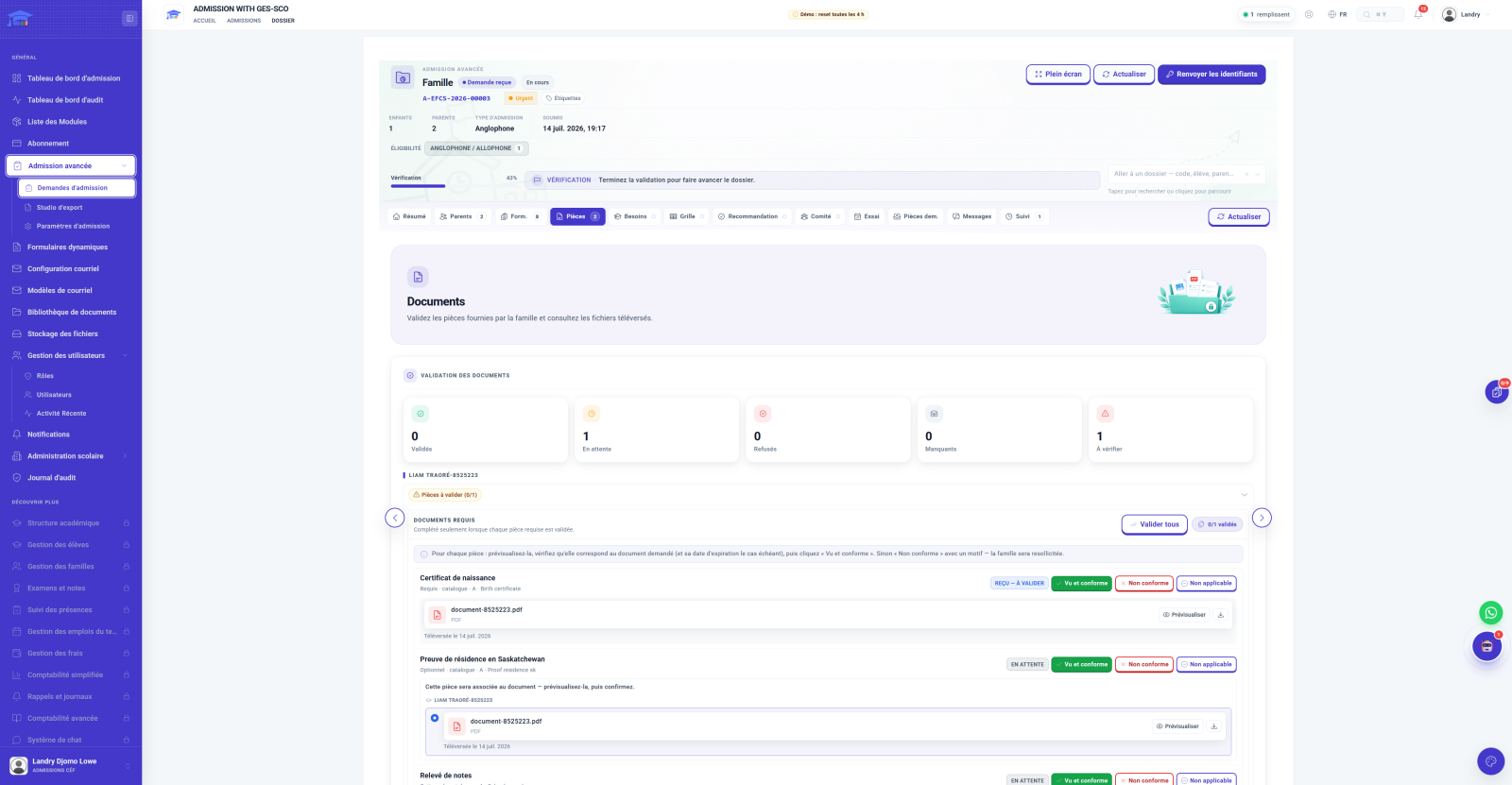
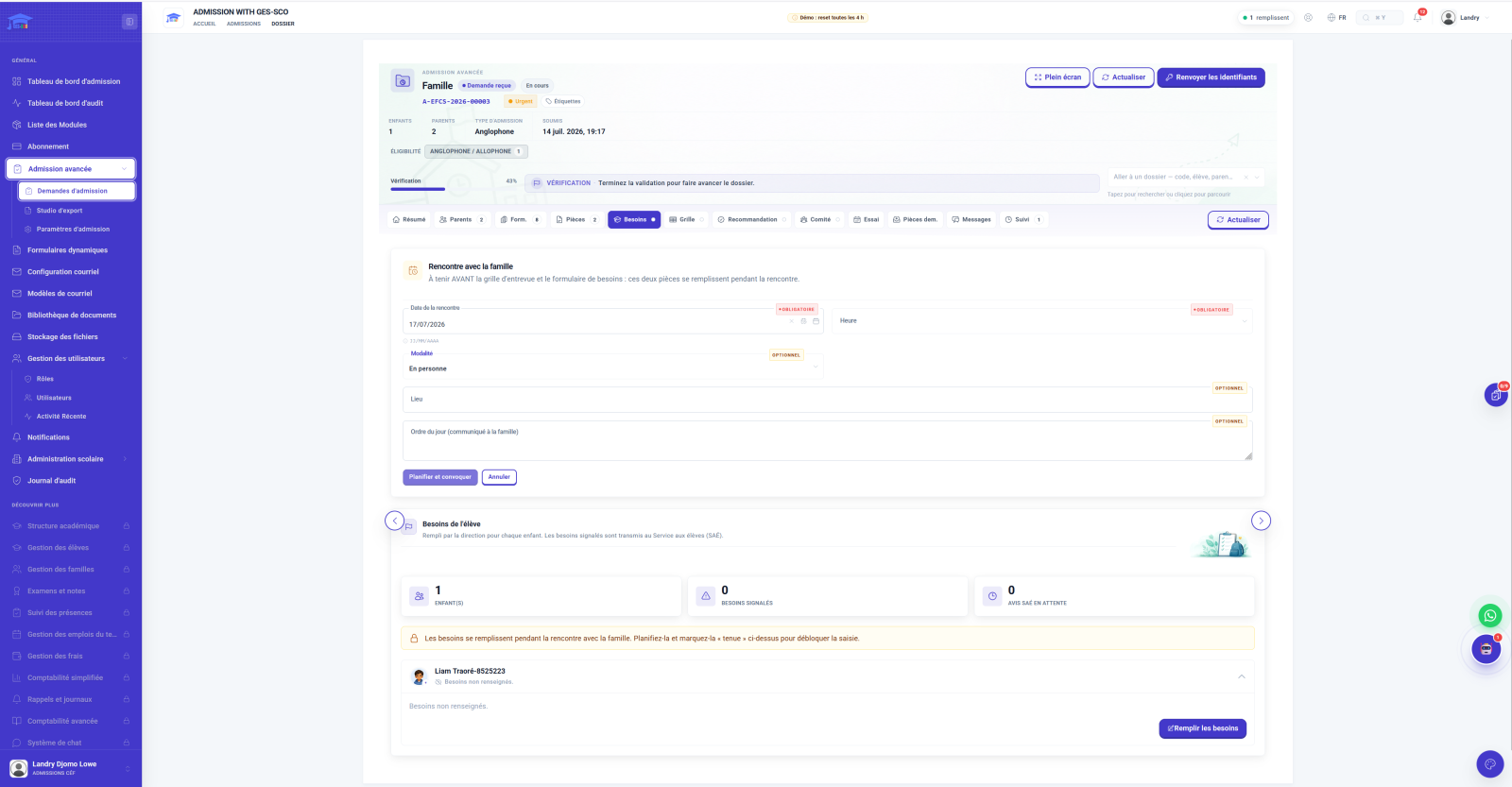
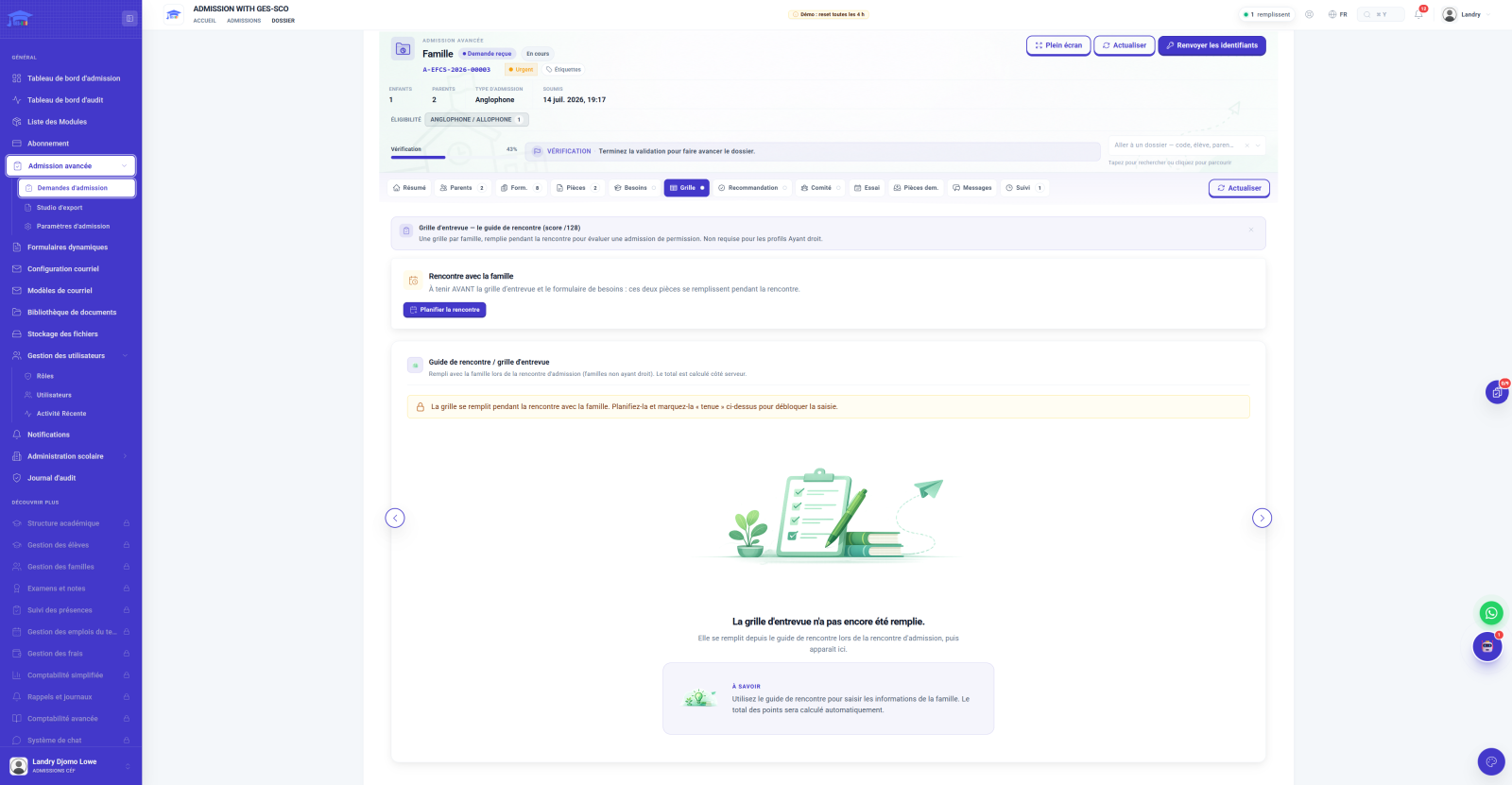
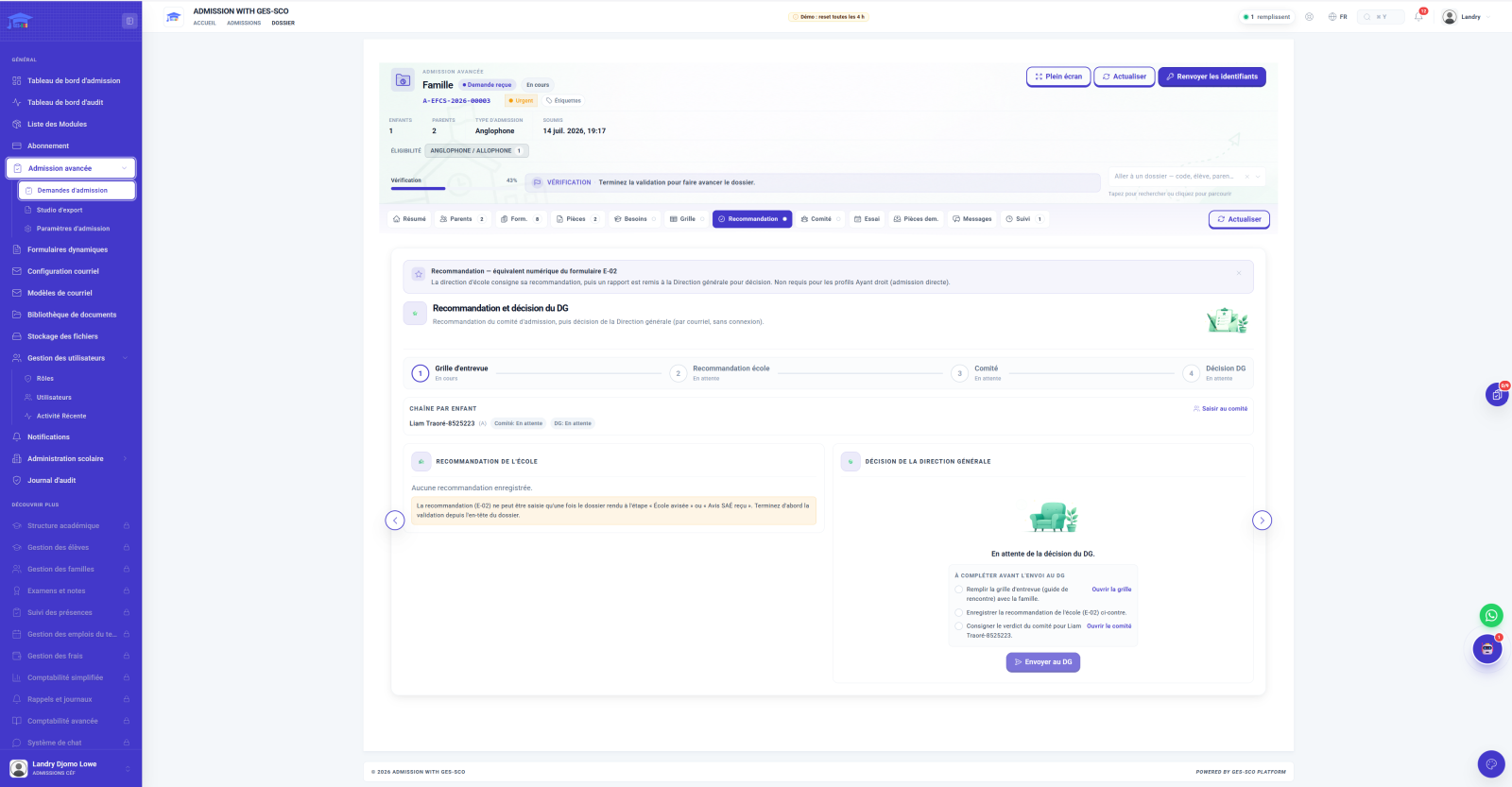
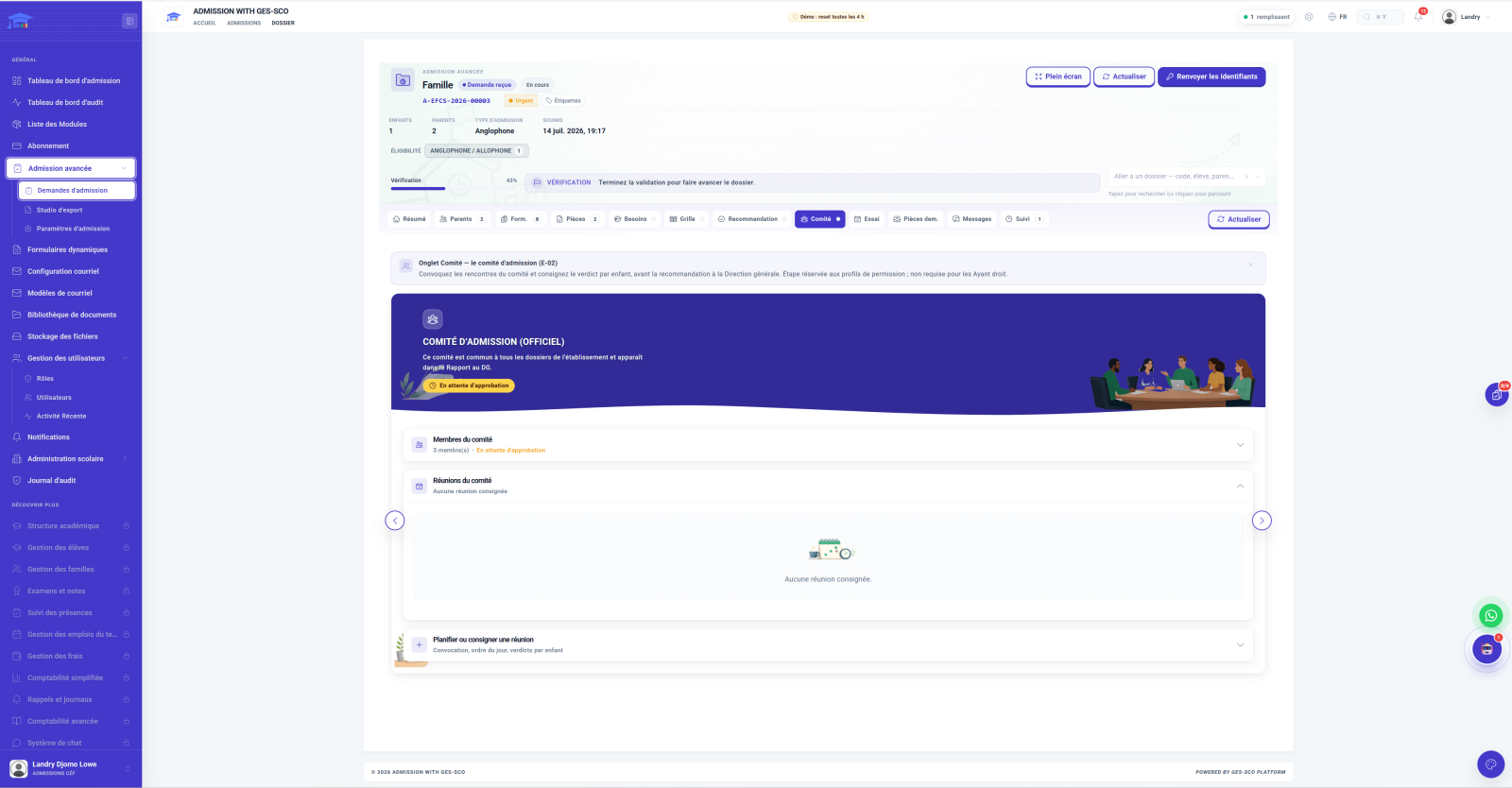
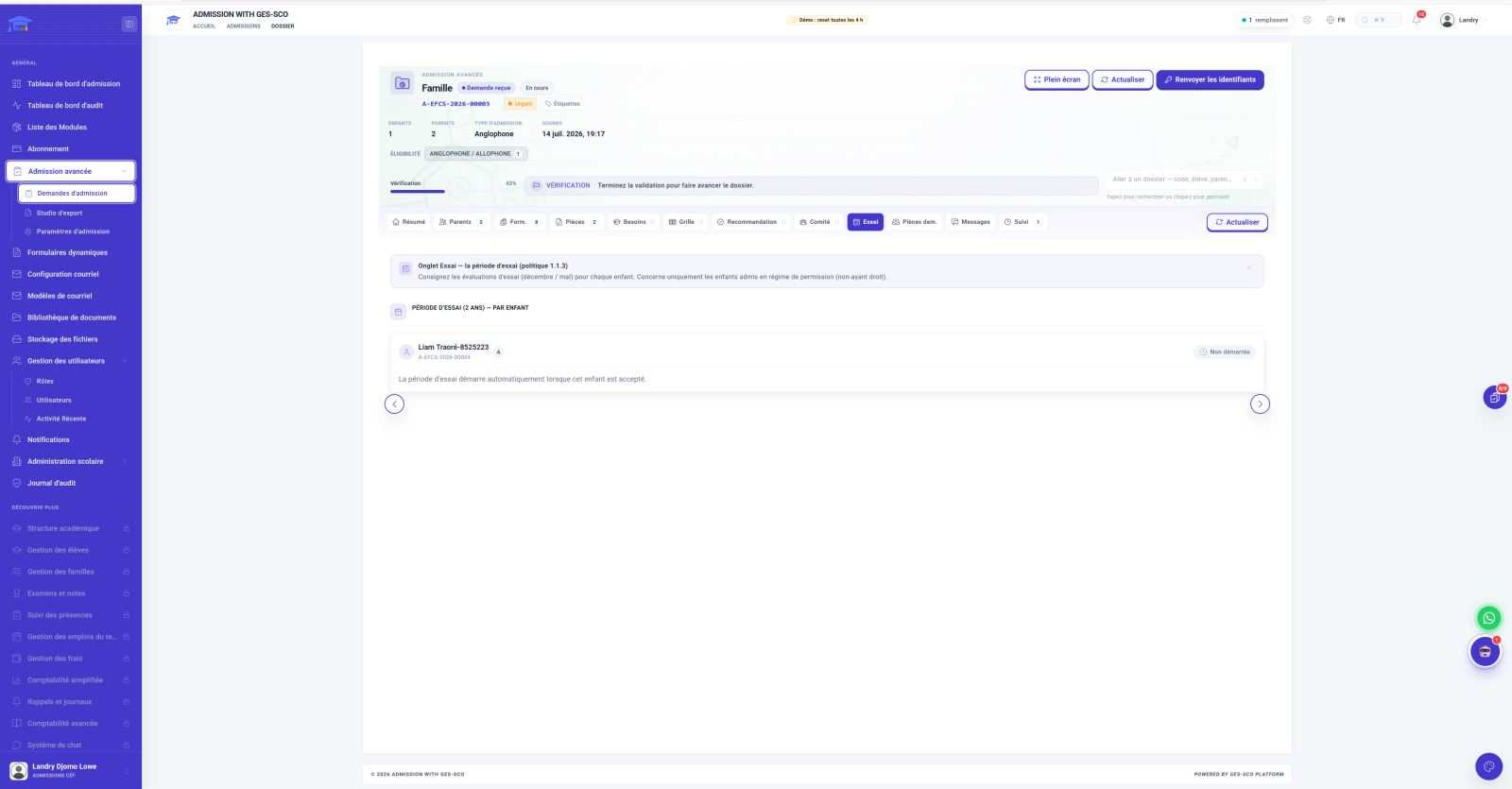
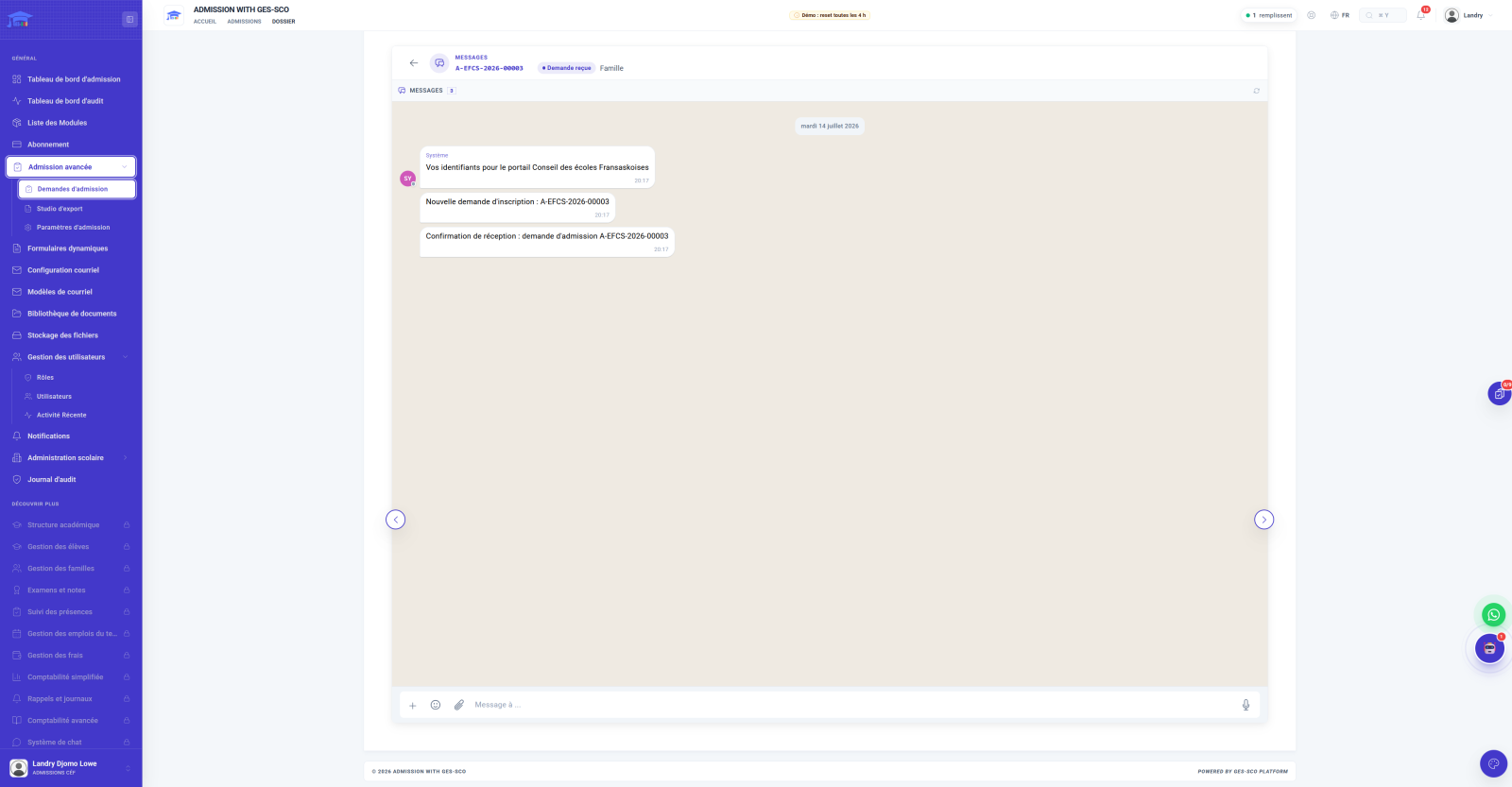
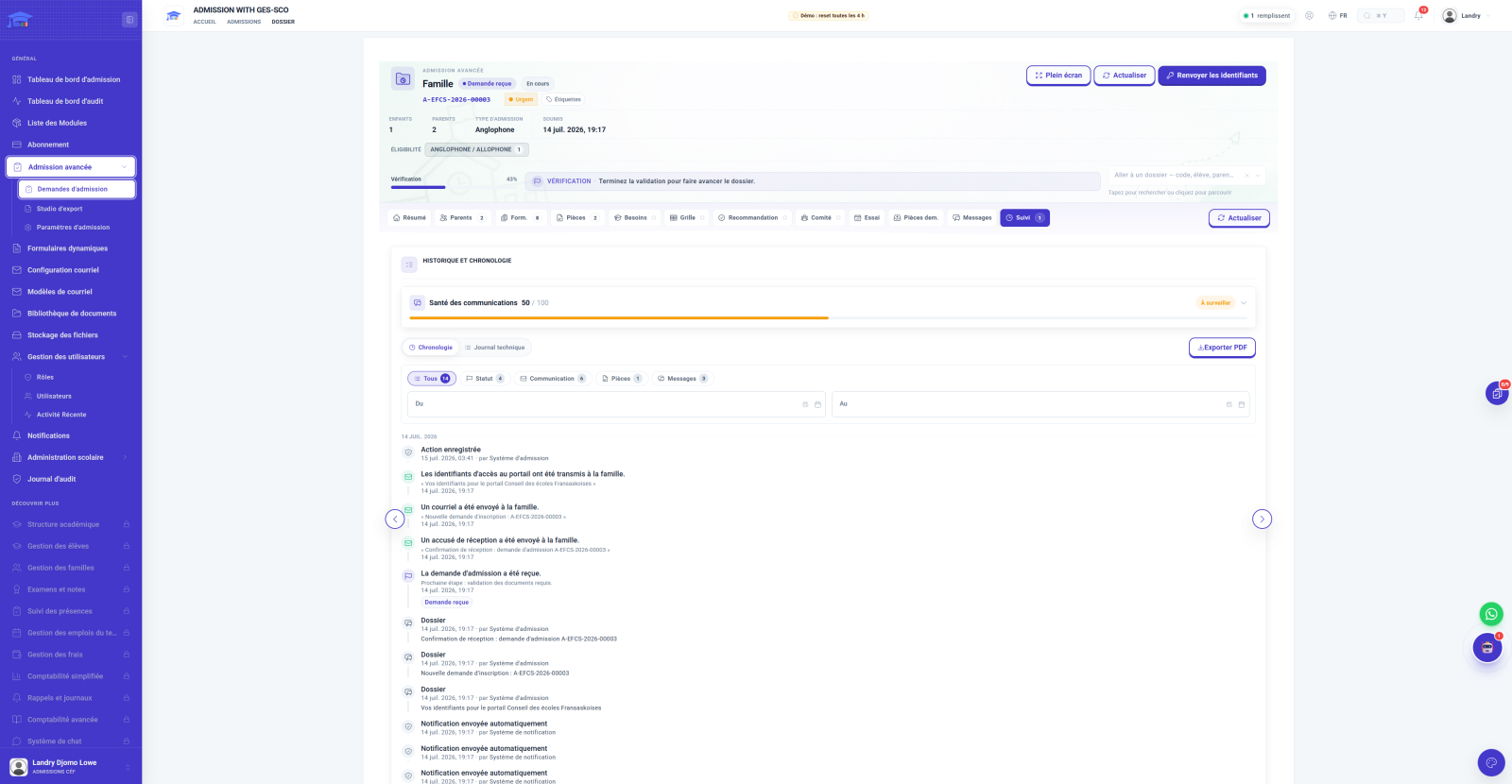
Want to see these eleven tabs live, on a real file?
Book a demoFrom submission on, the family receives its credentials and follows its file in a dedicated portal, in French or English. Same tabs, same timeline as the school side, but read-only, with just one thing to do: respond when a document is requested. No more calls to the front office to ask "where does our file stand".
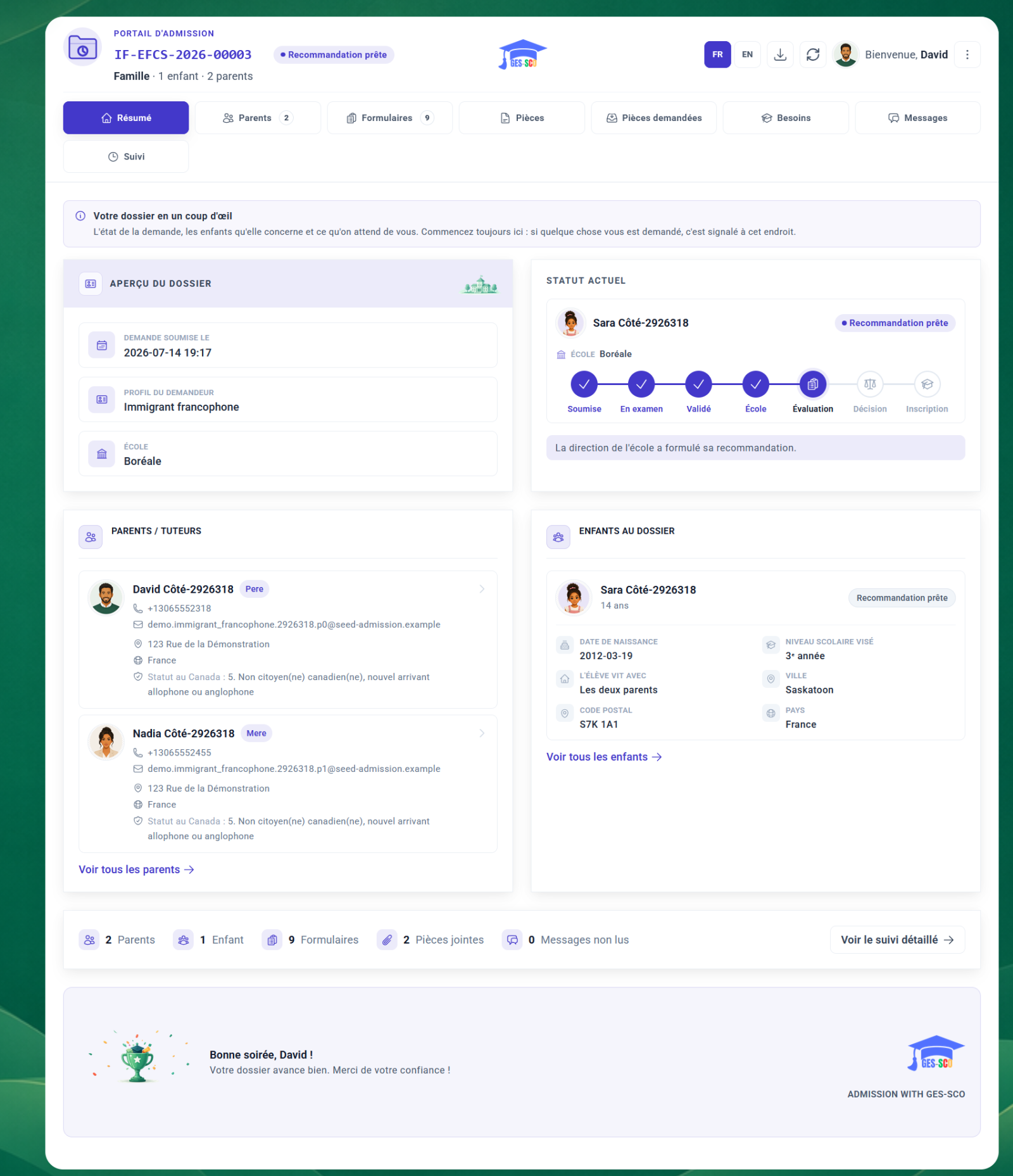
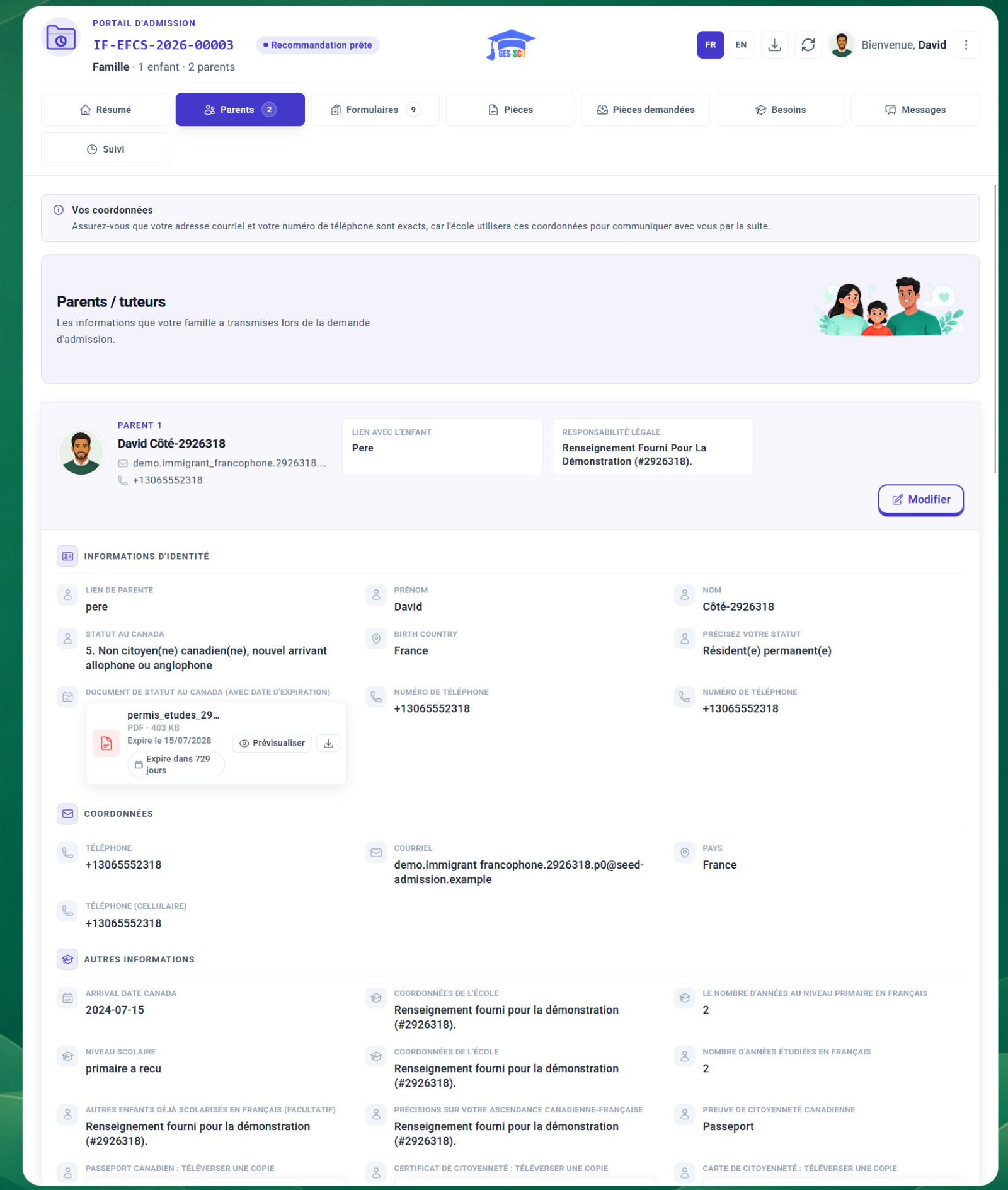
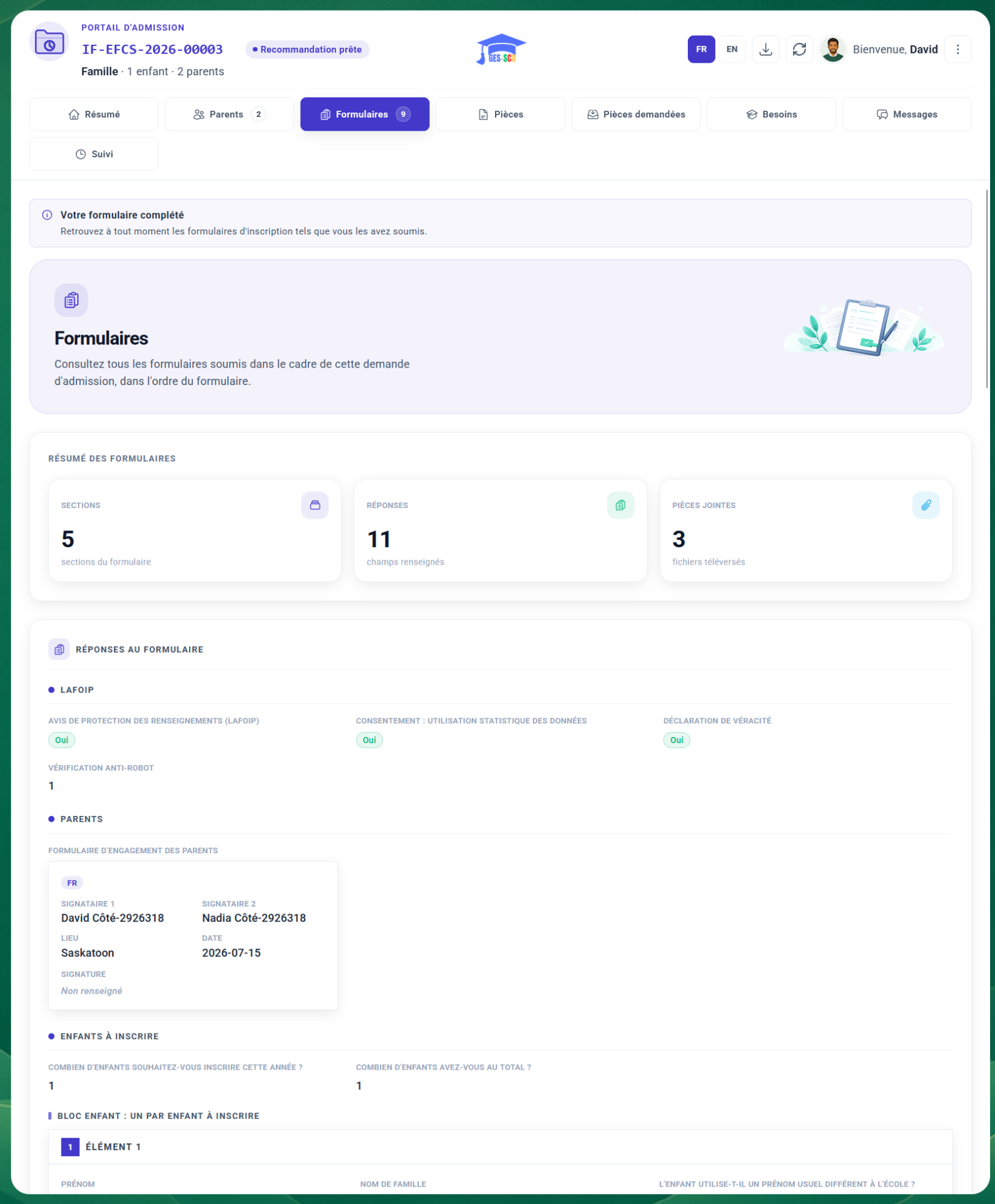
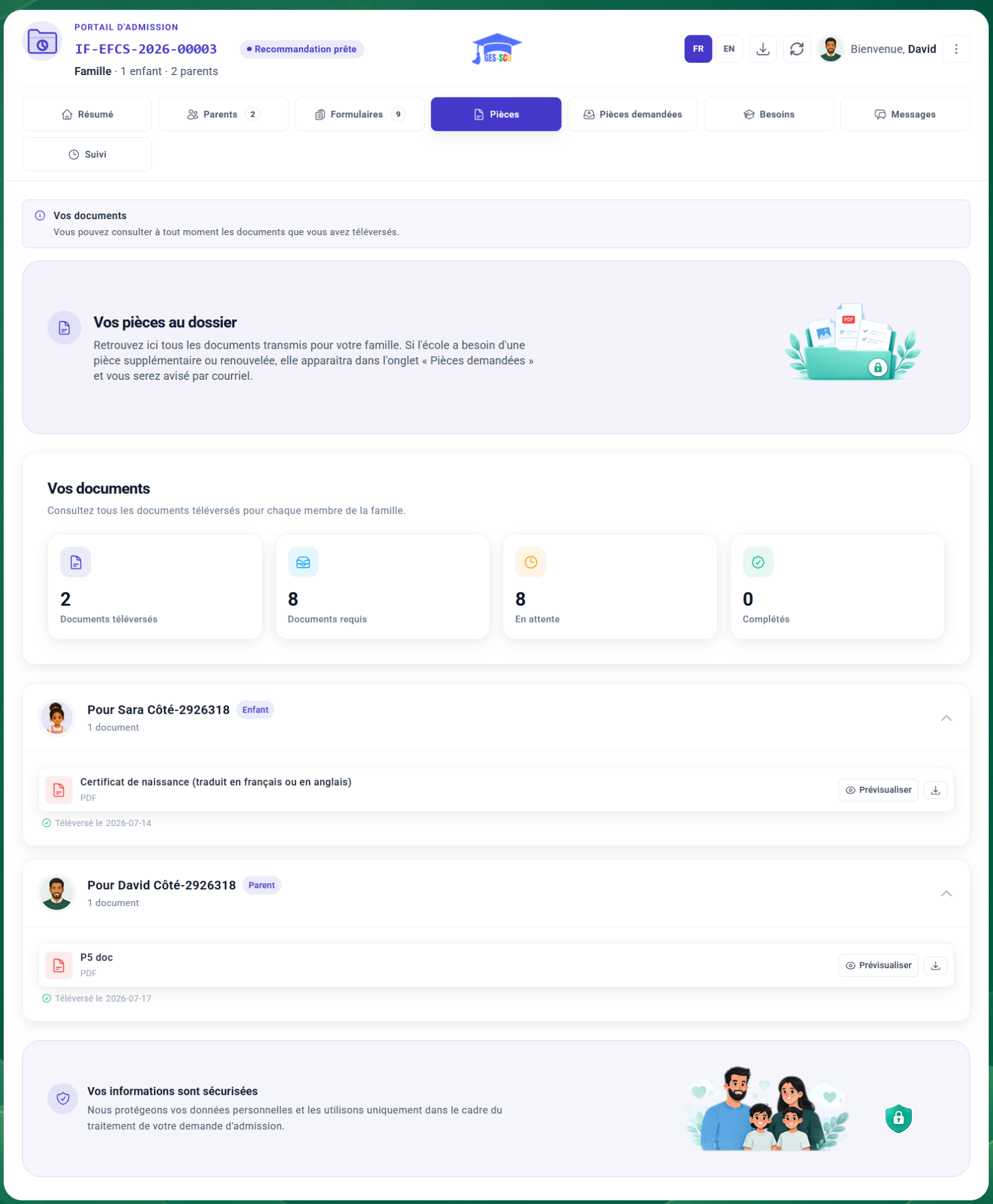
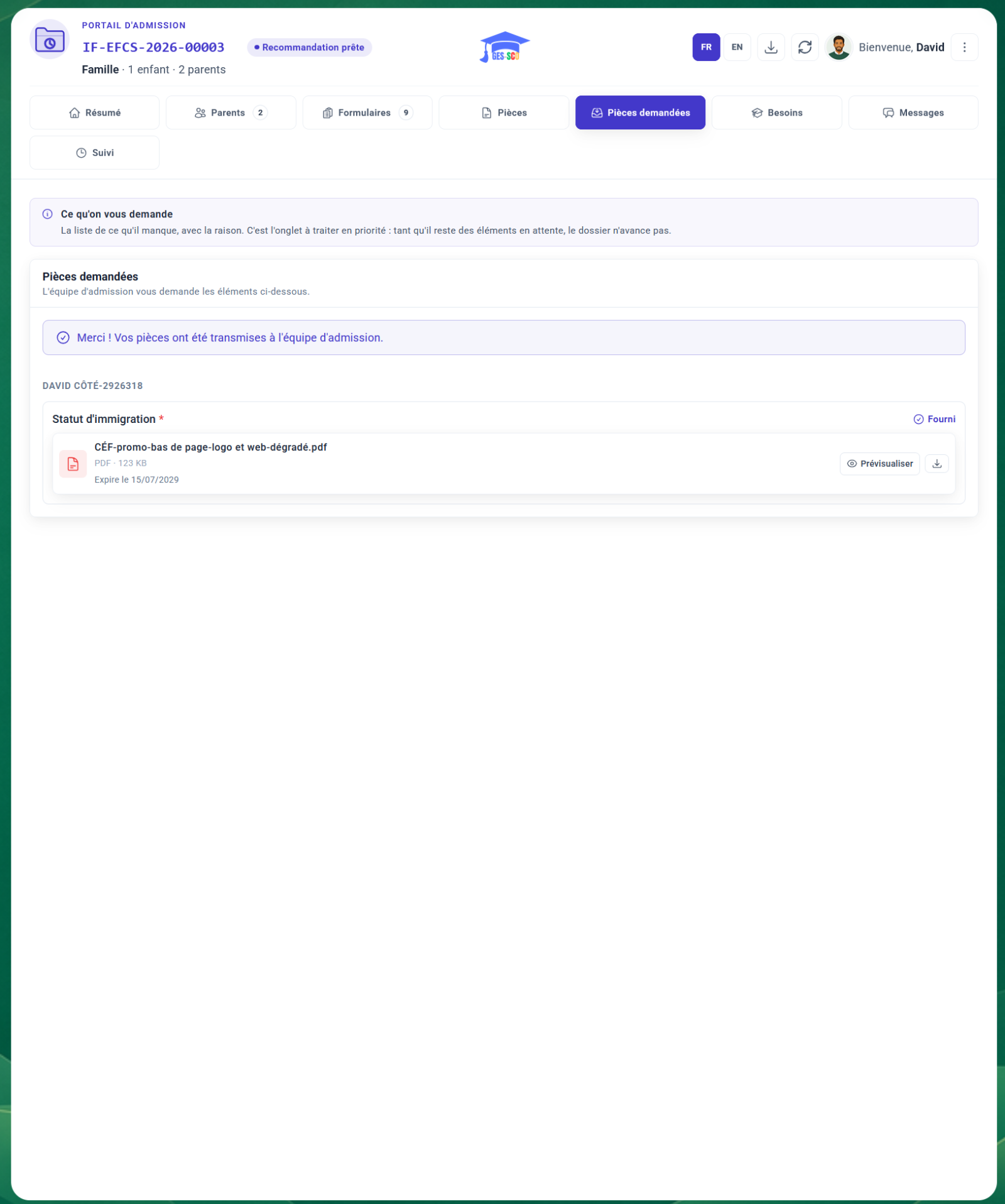
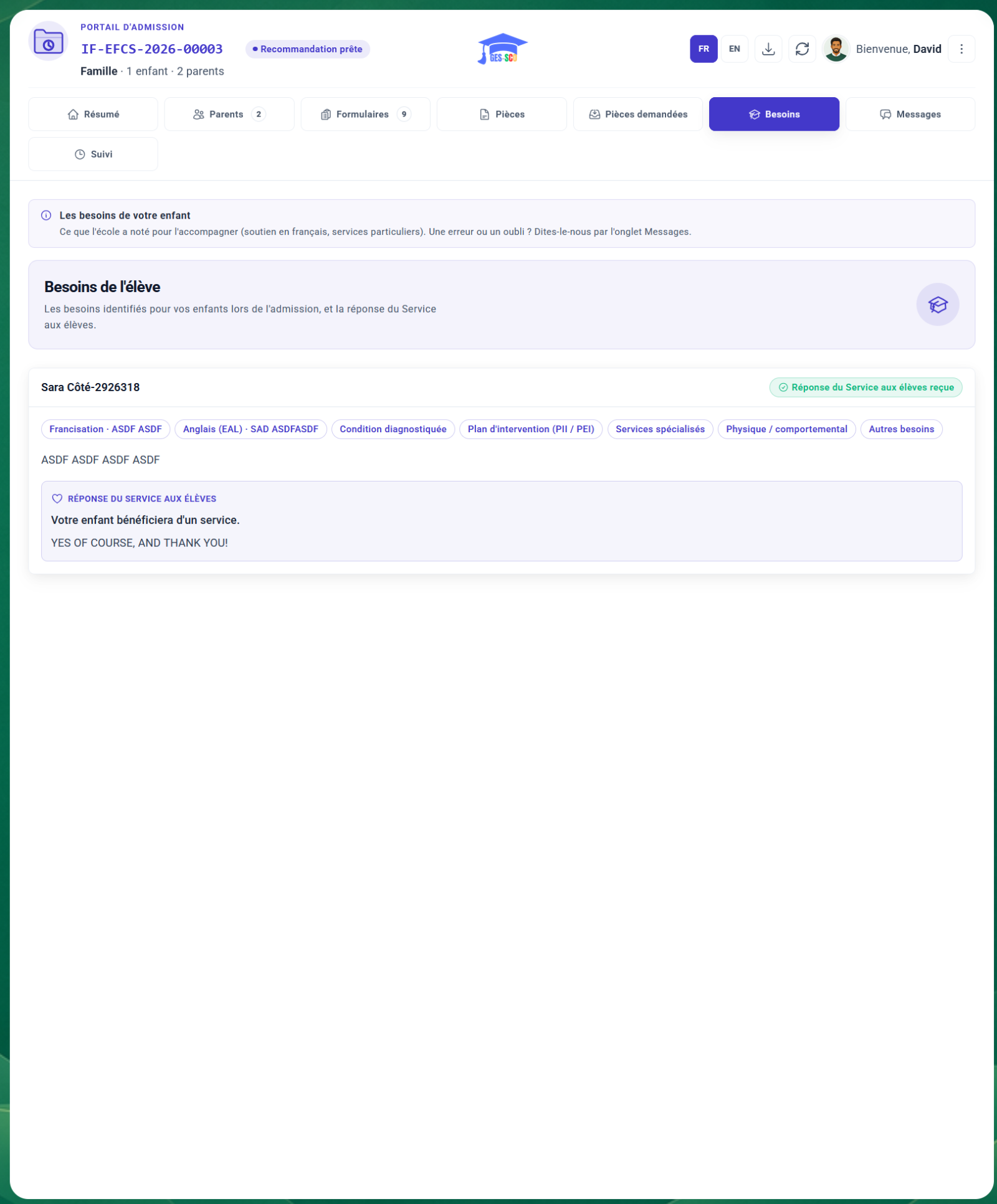
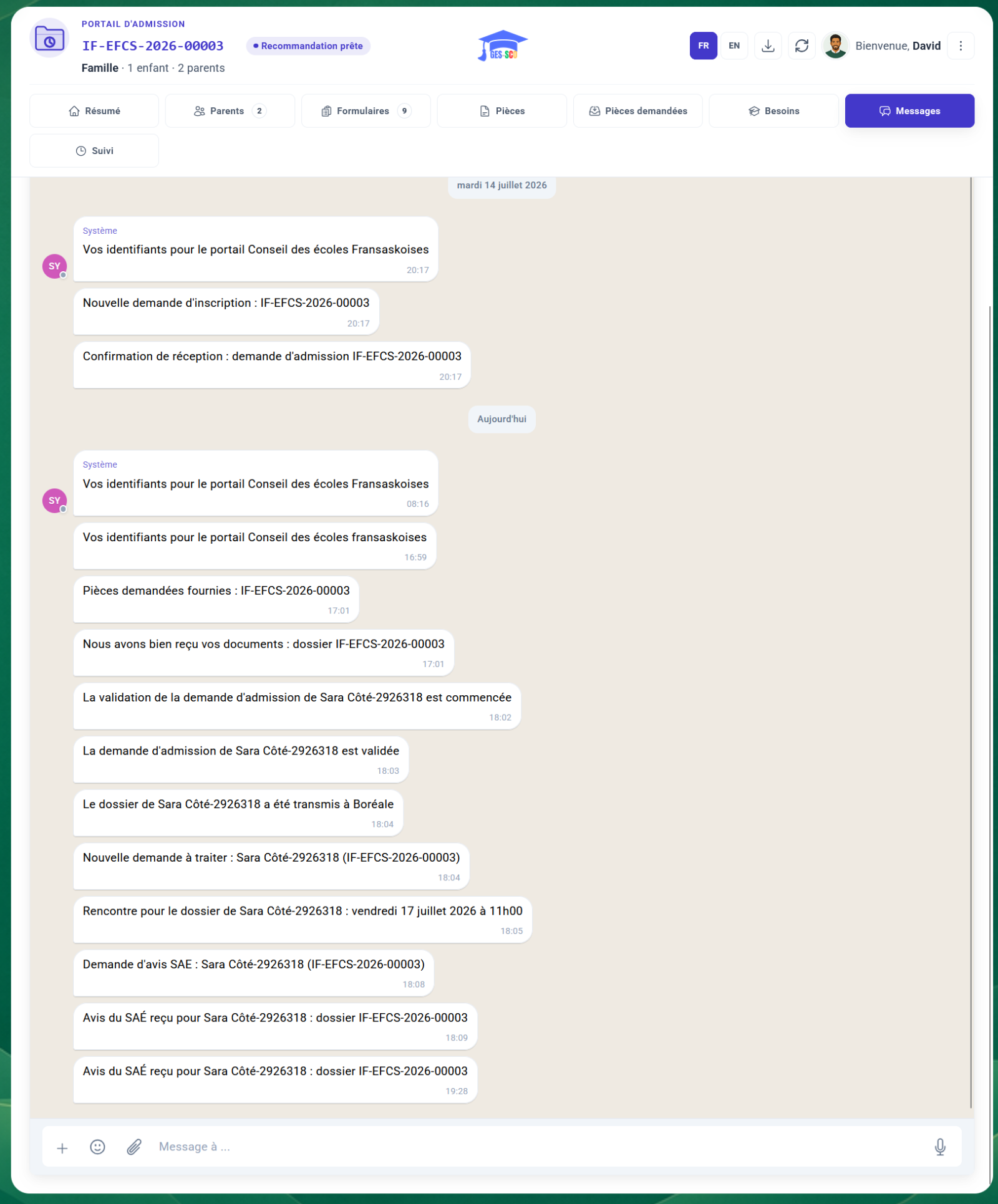
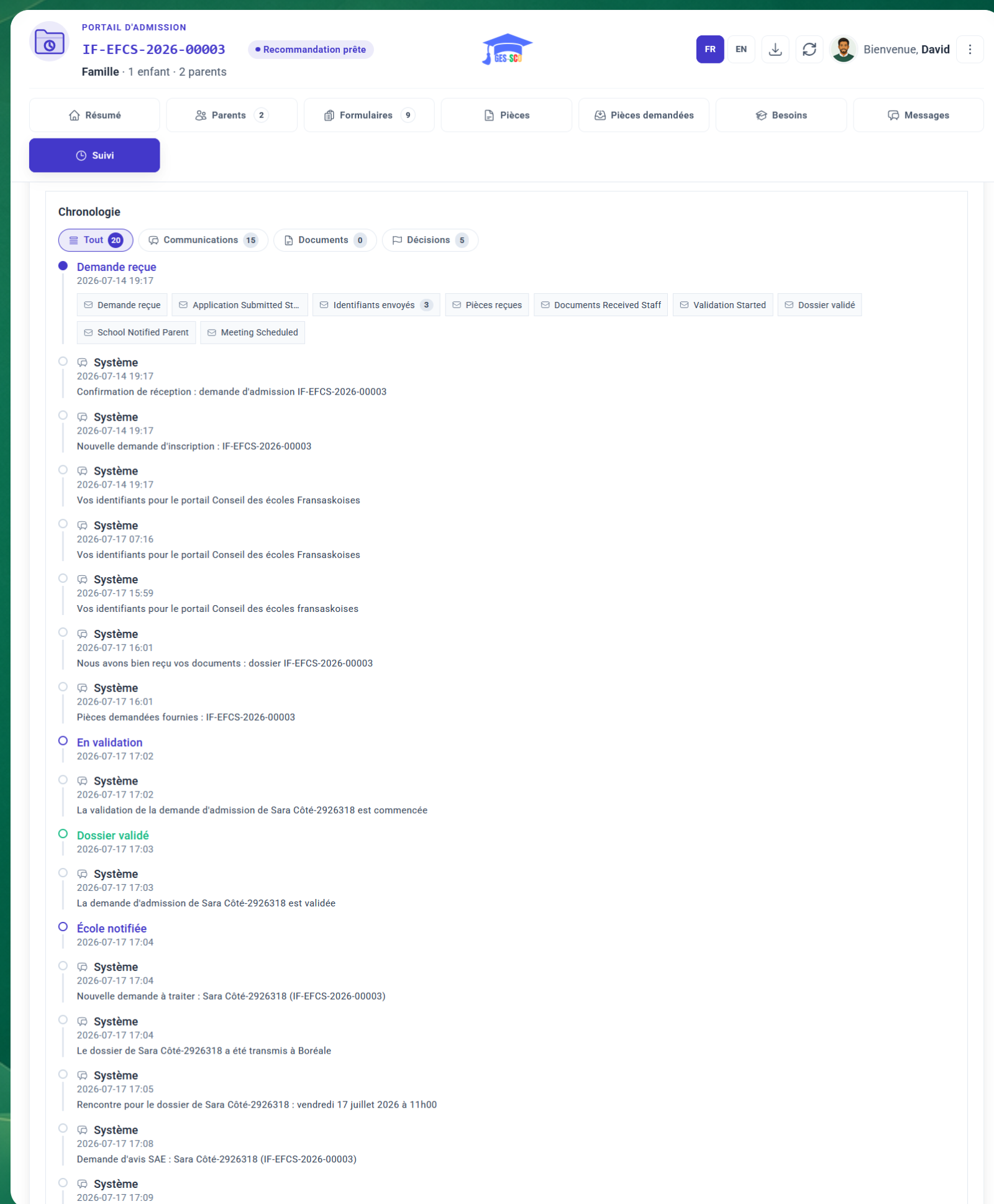
The portal takes ten minutes to tour, on the family side as on the school side.
Book a demoThe admission flow is codified, but everything that dresses it belongs to the school board: notification recipients, email templates, official letters, documents required per profile, sending server. Four configuration screens, in French, designed for administrative staff.
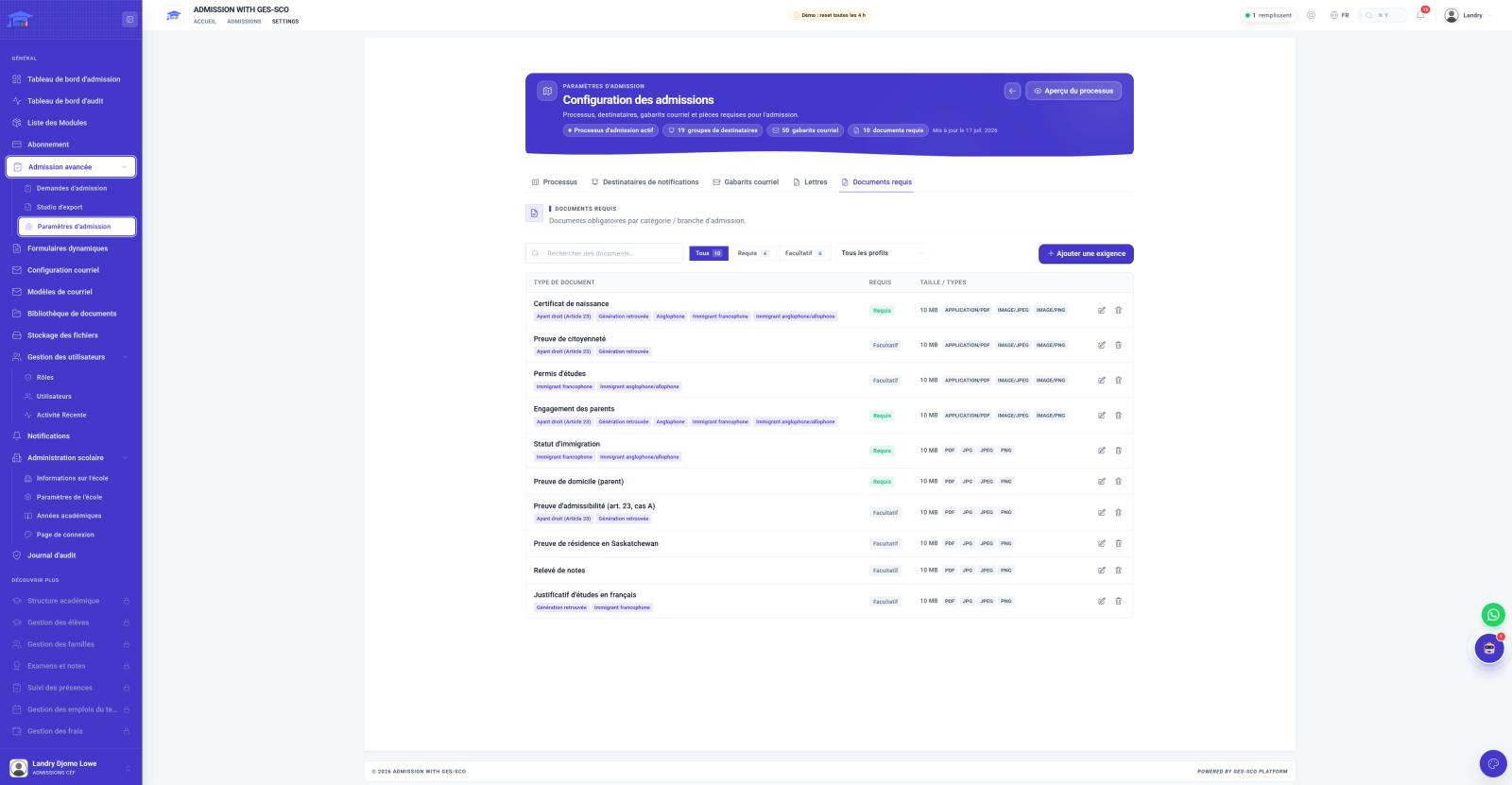
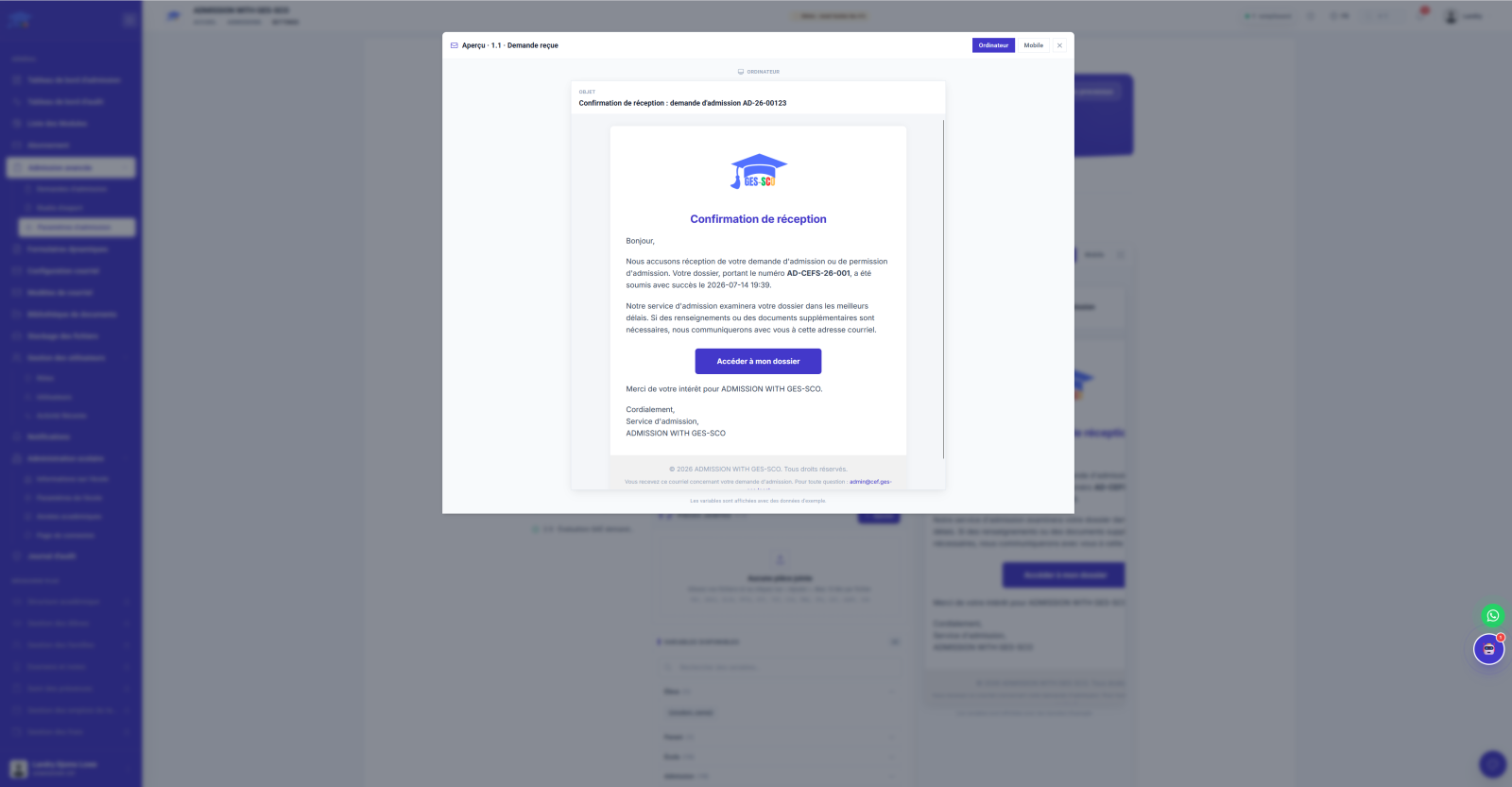
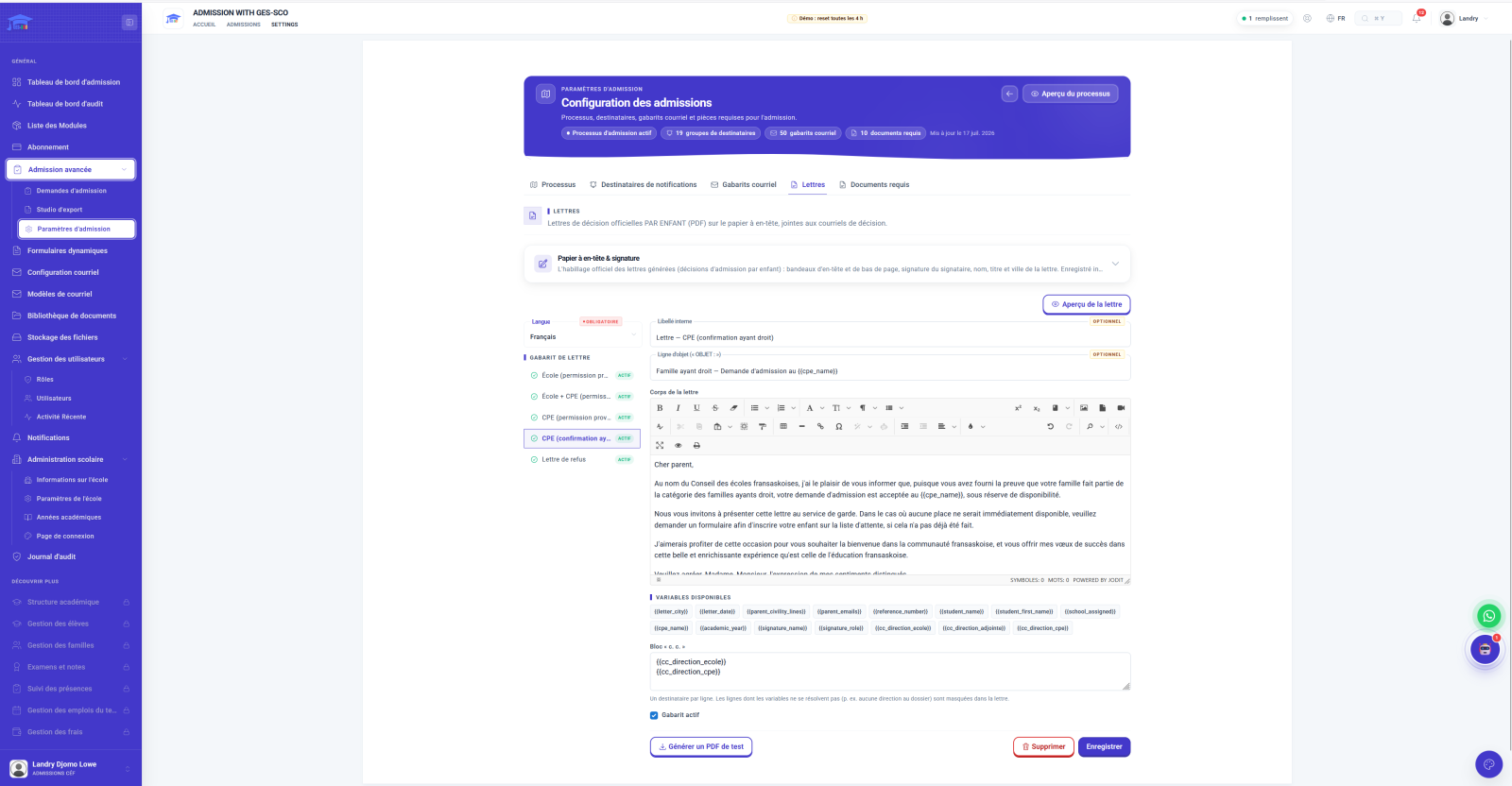
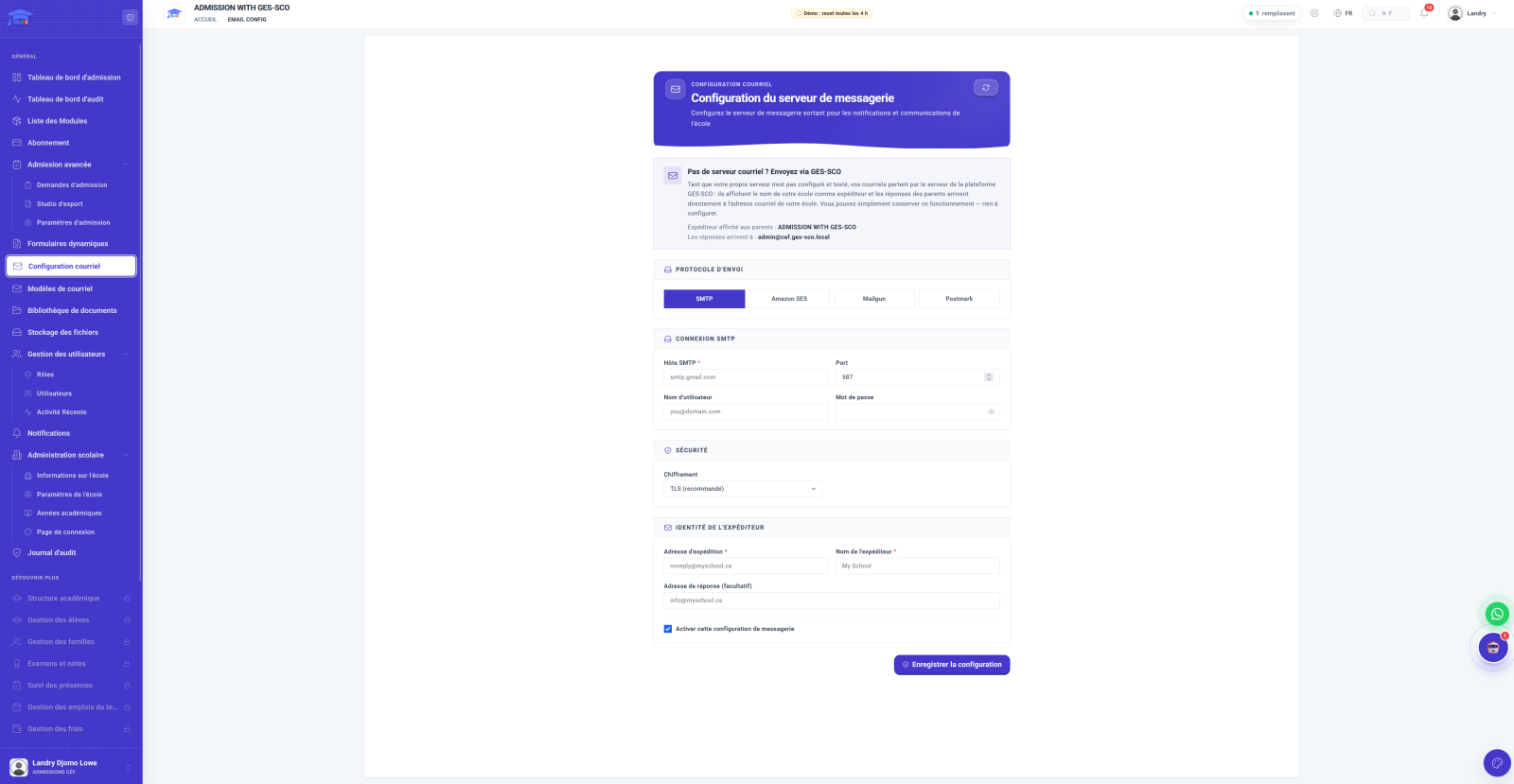
An admission file holds a family's story. Around the flow, four spaces keep house: the library files, storage counts, notifications alert, and security watches.
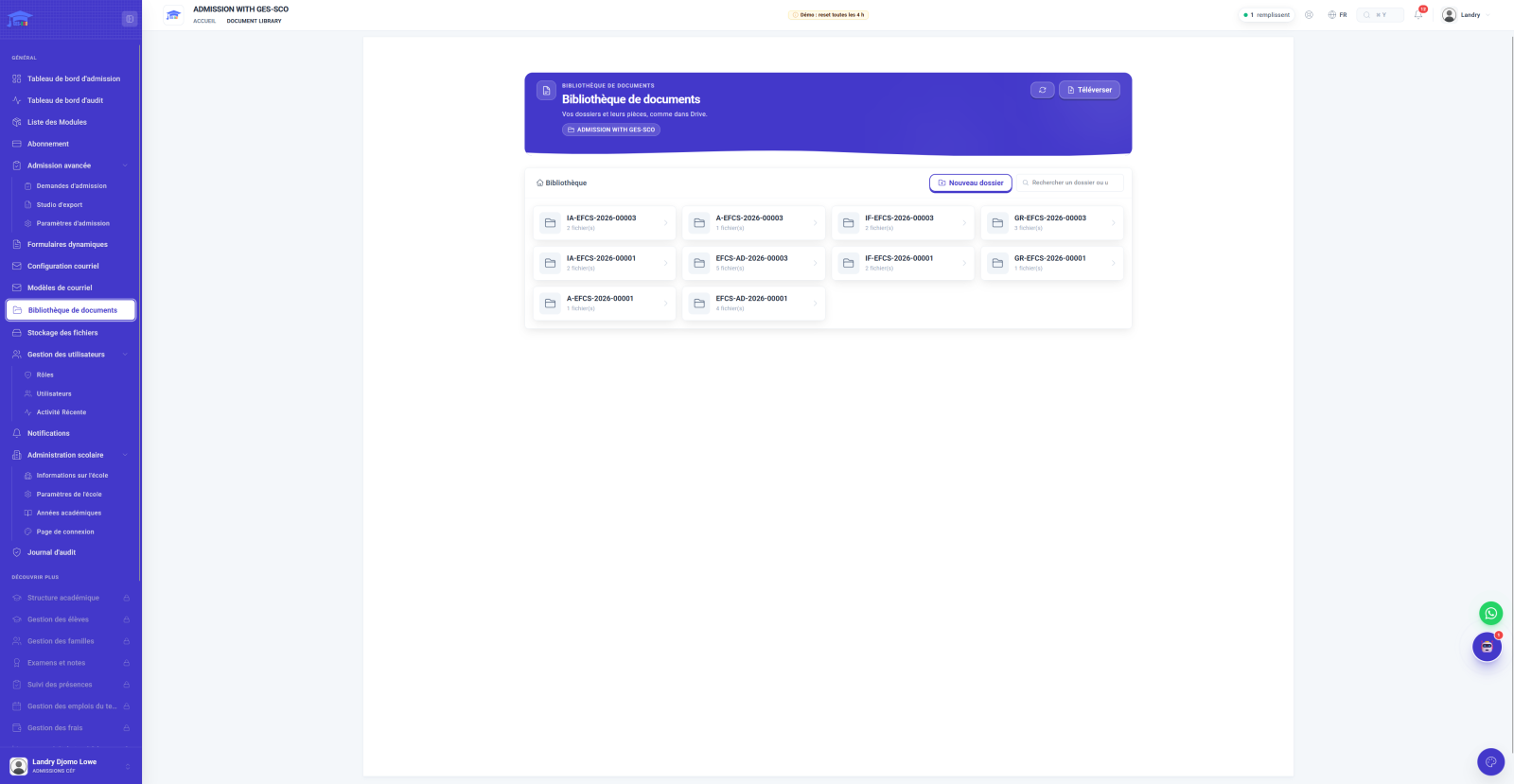
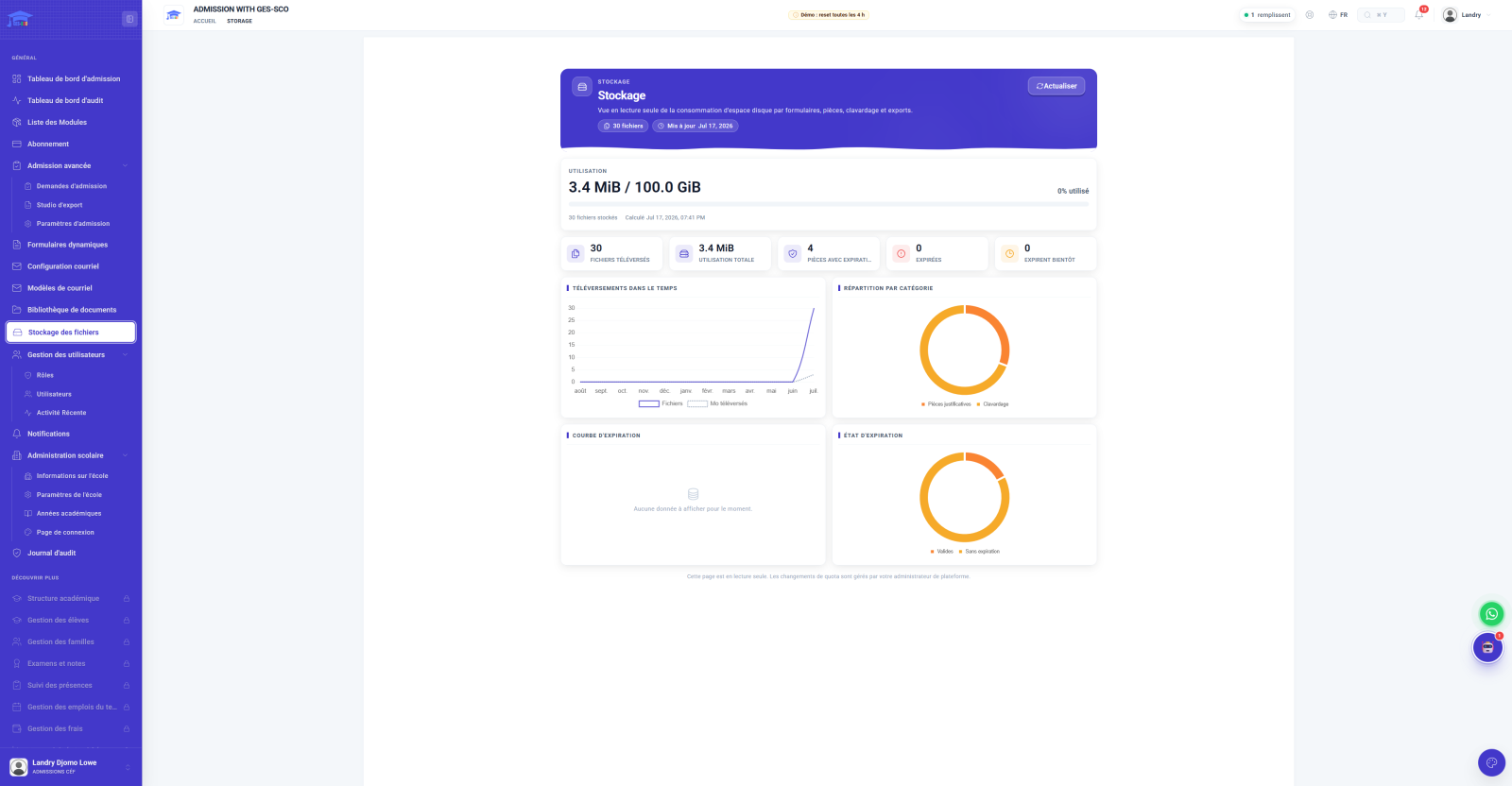
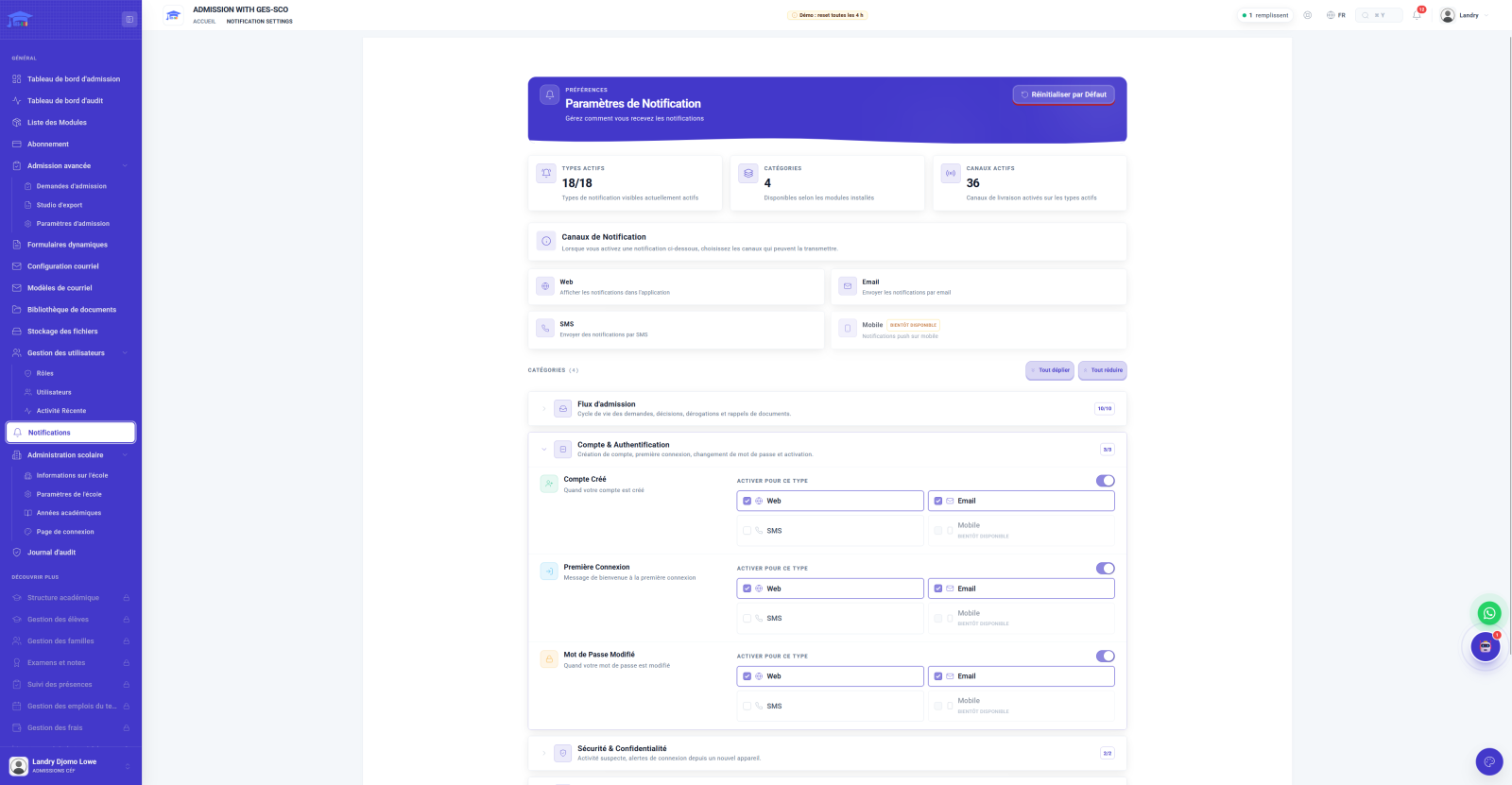
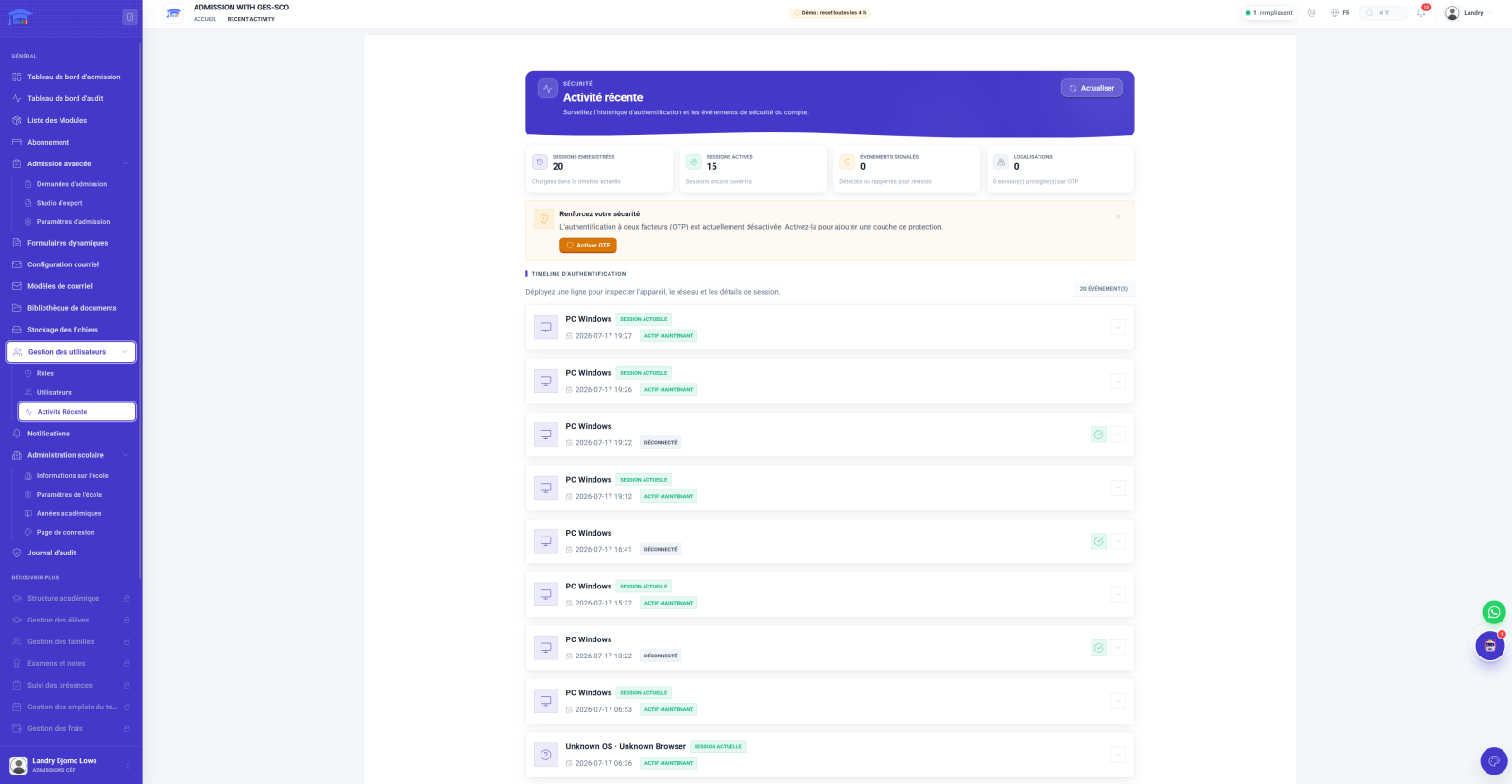
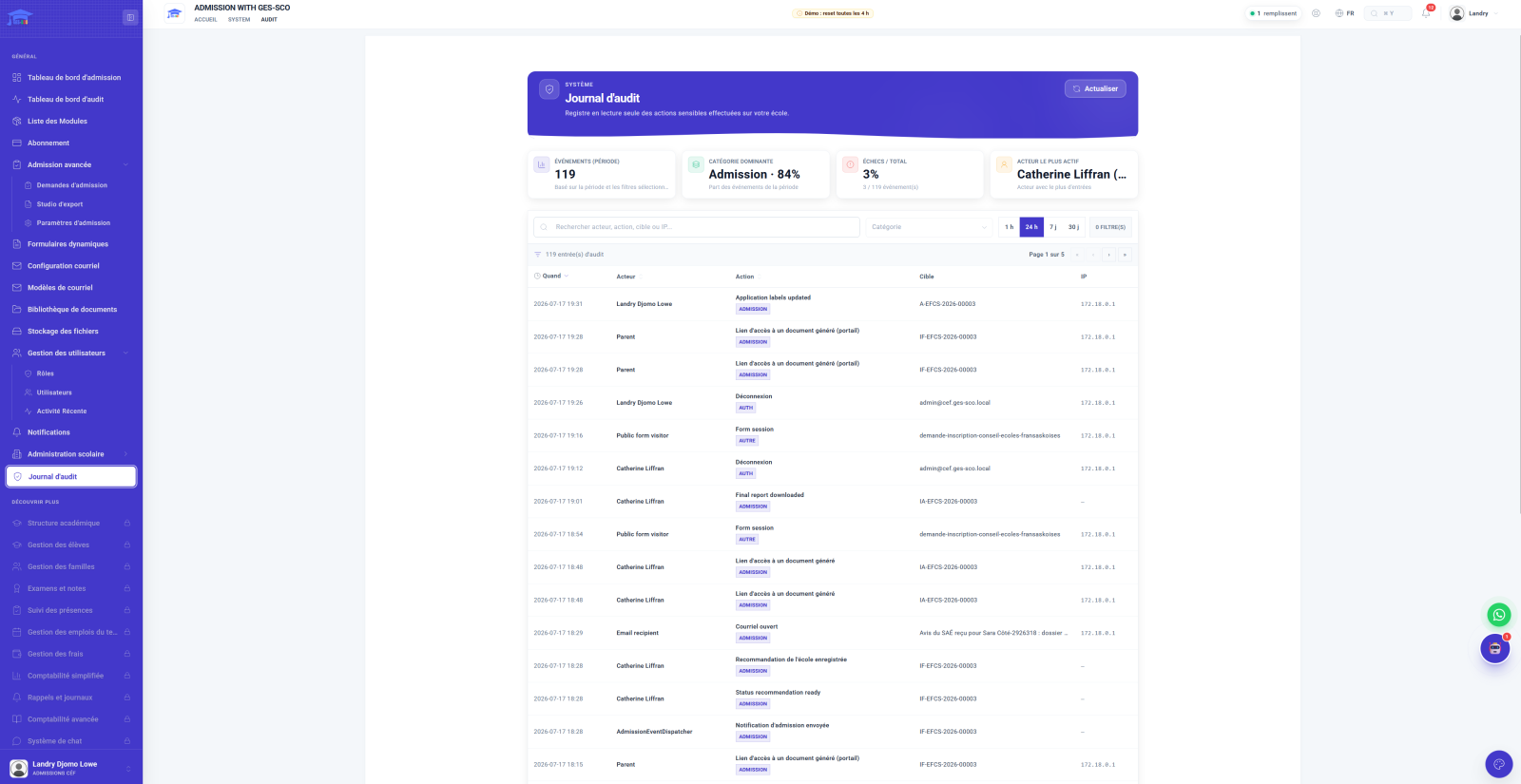
An admission request holds a family's story: status, address, identity documents. Every document view, every access link generated, every recorded decision leaves an entry in the audit log. Access is managed by role, sessions are monitored, and the data remains the school board's own.
A rights-holder parent holds the right, guaranteed by section 23 of the Charter, to have their children educated in French: their pathway is direct, with no interview or committee. Other families request an admission permission, assessed through a structured process.
Yes. Each template is edited per language, with variables, subject line and recipients in copy; letters carry the board's letterhead and signature, and a test PDF is generated before activation.
Yes. The parent portal shows step-by-step progress, the documents submitted, the requested documents and the school's messages, each notification is also sent by email, and by SMS if the board enables it.
The decision is reasoned and notified to the parents, with a right of appeal. The exemption pathway then frames the review: escalation, student services, director-general approval.
A guided demo of about thirty minutes, by video call, on your real cases: rights-holder family, admission permission, exemption, school side and parent-portal side. Choose the slot that suits you.
Fill in the form and our team will contact you within 24 hours for a personalized demonstration.
Continuously developed and improved since 2021 with feedback from our users.
An international solution adapted to the local specificities of each educational system.
GDPR compliance, secure hosting, daily backup of your data.
Our team of experts is available to guide you every step of the way.
Hundreds of institutions trust us around the world.
Access GES-SCO from anywhere with our iOS and Android apps.